
Cone Surface Area Calculation by m.cowden-garofalo
Loading the math board and drawing, please wait…
In collections
Surface Area
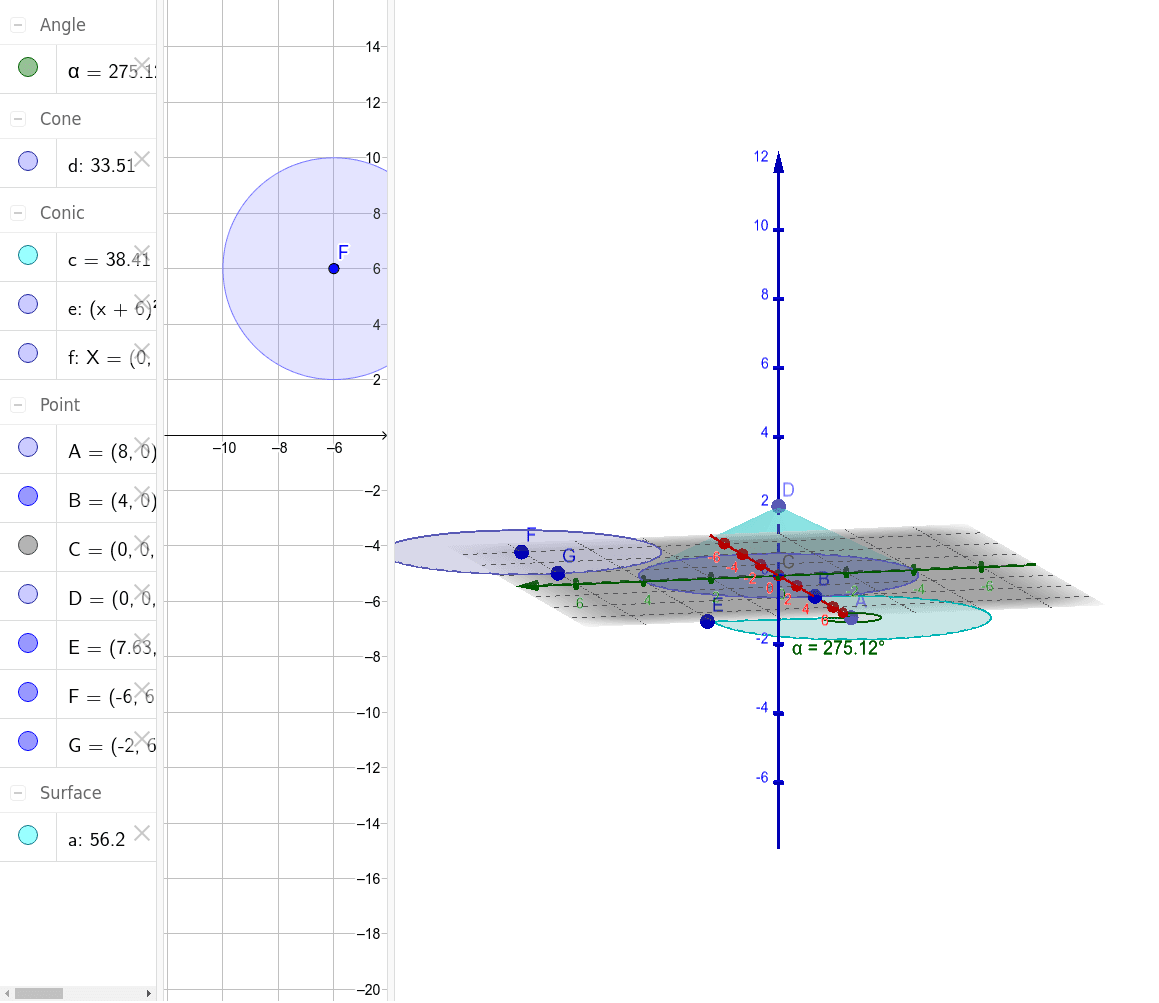
This example demonstrates how to calculate the surface area of a cone. It involves core mathematical concepts such as the geometric properties of cones, surface area formulas, and applications of analytical geometry. Key construction points include using GeoGebra commands and objects like Intersect, Point, Cone, CircleSector, Angle, and Circle to build the cone model and compute its surface area. Suitable for high school students learning solid geometry and analytical geometry.
GeoGebra Commands & Parameters
Intersect(yAxis, zAxis) → CPoint(zAxis) → DCone(C, D, 4) → d, f, aPoint(xAxis) → ACircleSector(A, B, E) → cAngle(B, A, E) → αCircle(F, G) → e
AI Drawing Prompt Reference
Draw a cone with its base and side surface, labeling the vertex, base center, generatrix, and axial section. First, plot the intersection point of the coordinate axes and a point on the z-axis. Then, draw the cone with the intersection point as the vertex, the point on the z-axis as the base center, and a specified height. Next, take a point on the x-axis, and draw a sector with the point and the base center as centers. Label the central angle of the sector. Finally, draw two auxiliary circles with the vertex and the base center as centers to illustrate the geometric properties of the cone.
The prompt above was compiled from the original drawing commands and is for reference only.