
Complex Roots Lab by 1066068
Loading the math board and drawing, please wait…
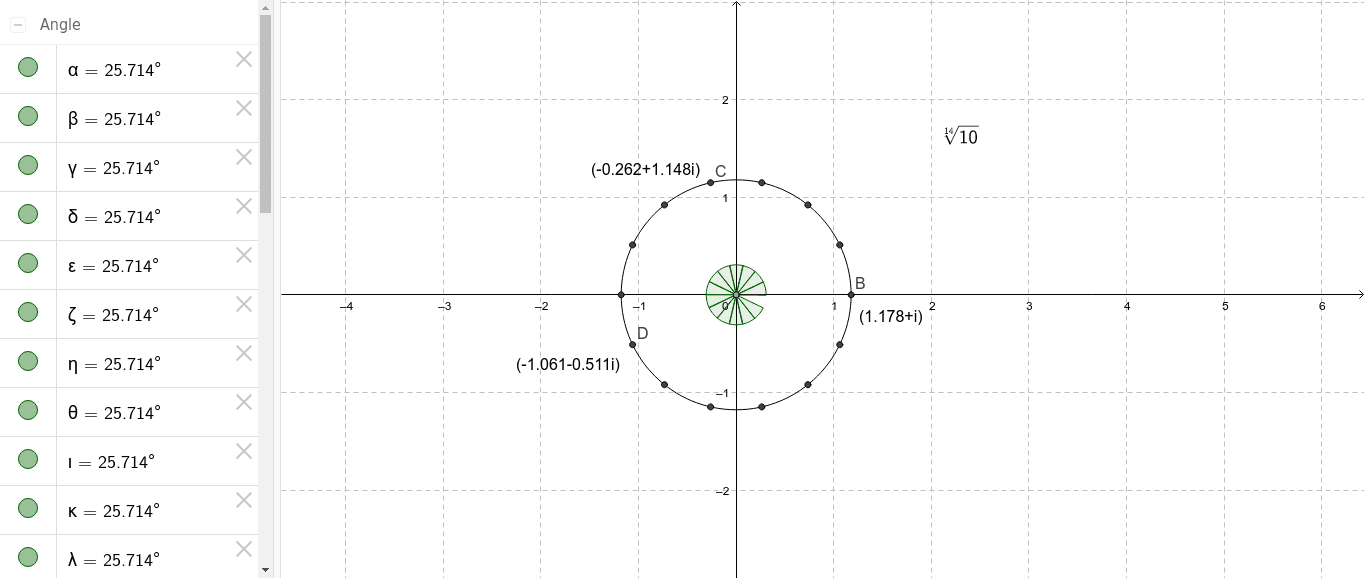
This example demonstrates the geometric representation of complex roots through transformations, intersections, and rotations. It involves core concepts like complex numbers, similarity transformations, trigonometric functions, and fractal geometry. Constructed using commands like Point, Circle, Intersect, Rotate, and Angle. Suitable for high school mathematics education to understand complex operations and geometric interpretations.
GeoGebra Commands & Parameters
Point(yAxis) → ACircle(A, 1.178) → cIntersect(c, xAxis, 2) → BRotate(B, 25.714*°, A) → B'Angle(B, A, B') → αRotate(B', 25.714*°, A) → B''Angle(B', A, B'') → βRotate(B'', 25.714*°, A) → B'''Angle(B'', A, B''') → γRotate(B''', 25.714*°, A) → CAngle(B''', A, C) → δRotate(C, 25.714*°, A) → C'Angle(C, A, C') → εRotate(C', 25.714*°, A) → C''Angle(C', A, C'') → ζRotate(C'', 25.714*°, A) → C'''Angle(C'', A, C''') → ηRotate(C''', 25.714*°, A) → DAngle(C''', A, D) → θRotate(D, 25.714*°, A) → D'Angle(D, A, D') → ιRotate(D', 25.714*°, A) → D''Angle(D', A, D'') → κRotate(D'', 25.714*°, A) → D'''Angle(D'', A, D''') → λRotate(D''', 25.714*°, A) → EAngle(D''', A, E) → μRotate(E, 25.714*°, A) → E'Angle(E, A, E') → ν
AI Drawing Prompt Reference
Draw a horizontal and vertical axis, place a point on the vertical axis, draw a circle centered at this point with a radius of 1.178, let the circle intersect the horizontal axis at two points, select one intersection point, rotate it around the center point by 25.714 degrees to get a new point, connect the center point to this new point with a line segment, repeat this process of rotation and line drawing multiple times to form a complex geometric pattern composed of rotating points, demonstrating the geometric representation and transformation of complex numbers.
The prompt above was compiled from the original drawing commands and is for reference only.