
Completing the Square for Quadratics: Visualizing Complex Solutions
Loading the math board and drawing, please wait…
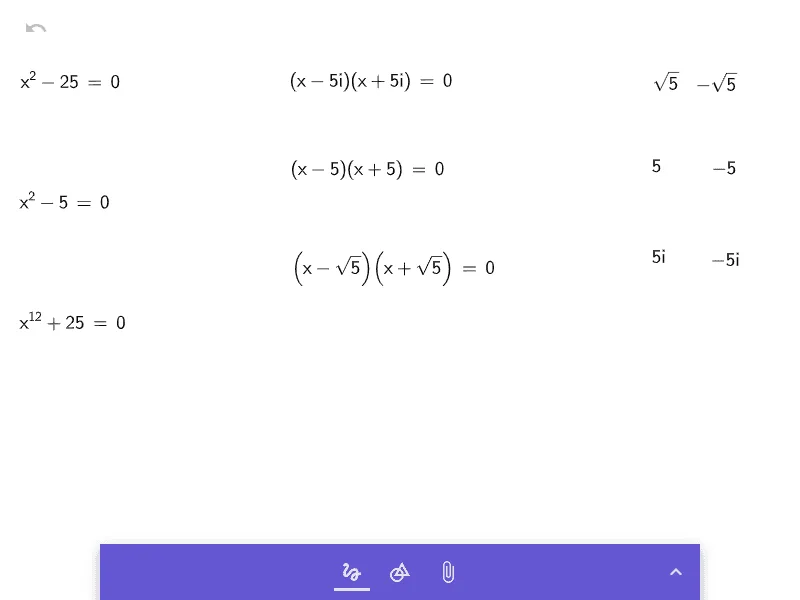
This example demonstrates how completing the square converts a quadratic expression into a perfect-square form and how the construction can be used to visualize what happens when the discriminant is negative, leading to complex (non-real) solutions. The key math concepts are completing the square, the standard form of quadratic equations/functions, the discriminant’s role in determining the nature of the roots (real vs. complex), and the geometric intuition behind algebraic transformations. From the provided construction summary, objects a, b, c, d, e, f, g, h, i are used as intermediate parameters/quantities to represent coefficients and the shifted constants that arise during the algebra-to-geometry correspondence of the square-completion steps. The setup connects the original quadratic to the transformed square expression so learners can track how the root structure follows from the construction. Suitable for middle school to early high school algebra lessons and targeted practice for learners strengthening their understanding of quadratics and complex solutions.
GeoGebra Commands & Parameters
Formula aFormula bFormula cFormula dFormula eFormula fFormula gFormula iFormula h
AI Drawing Prompt Reference
Create a visual diagram illustrating the geometric meaning of completing the square for a quadratic expression. Show a large square whose side length is determined by the quadratic coefficient, subdivided into rectangles and smaller squares representing the linear and constant terms. Arrange these parts to form a complete square, demonstrating the algebraic transformation. Below or beside the figure, include a number line or complex plane indicating the sign of the discriminant, and when it is negative, display a pair of conjugate complex roots as points on the imaginary axis. The layout should clearly connect the algebraic steps with the geometric areas.
The prompt above was compiled from the original drawing commands and is for reference only.