
Completing the Square (3)
Loading the math board and drawing, please wait…
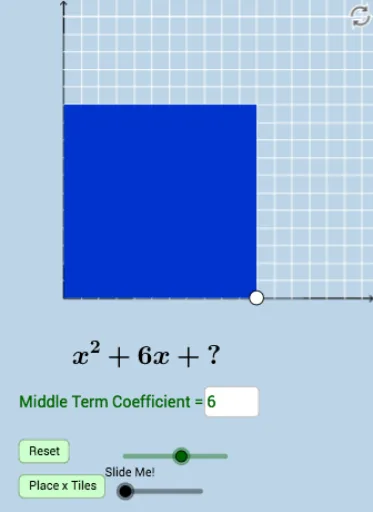
This example demonstrates how to solve quadratic equations by completing the square. Key mathematical concepts include quadratic functions, vectors, and transformations. Using GeoGebra commands such as Segment, Polygon, Sequence, Dilate, and Rotate, the example dynamically shows the graph of a quadratic function and its transformations. Suitable for high school mathematics education and learning about the properties of quadratic functions.
GeoGebra Commands & Parameters
Segment(A, B) → fSegment(D, C) → hSegment(C, A) → iPolygon(A, B, D, C) → poly1, a_1, b_1, d, cSequence((a + i, 0), i, 0, abs(b / 2), 1) → bottomsSequence((a + i, a), i, 0, abs(b / 2), 1) → topsSequence((0, a + i), i, 0, abs(b / 2), 1) → leftsSequence((a, a + i), i, 0, abs(b / 2), 1) → rightsSequence(Dilate[Element[bottoms, i], If[0 < g ≤ 1, 1 - g, 0], Element[tops, i]], i, 0, abs(b / 2) + 1, 1) → bottomsmoveSequence(Dilate[Element[lefts, i], If[1 < g ≤ 2, 2 - g, 0], Element[rights, i]], i, 0, abs(b / 2) + 1, 1) → leftsmovePoint(bottomsmove) → ESegment(B, E) → jDilate(C, If[1 < g ≤ 2, 2 - g, 0], D) → C'Segment(C, C') → kPolygon(D, H, F, G) → poly2, d_1, h_1, f_1, g_1Dilate(H, If[2 < g ≤ 3, 3 - g, 0], F) → H'Dilate(G, If[2 < g ≤ 3, 3 - g, 0], F) → G'Dilate(I, If[2 < g ≤ 3, 3 - g, 0], A) → I'Segment(I, I') → lRotate(I, If[3 < g ≤ 4, ((-(g - 3)) * π / 2), ((-π)) / 2], A) → I'_1Rotate(I', If[3 < g ≤ 4, ((-(g - 3)) * π / 2), ((-π)) / 2], A) → I''Segment(I'_1, I'') → l'Rotate(I'_1, If[4 < g ≤ 5, ((-(g - 4)) * π / 2), ((-π)) / 2], I'_1) → JRotate(I'', If[4 < g ≤ 5, ((-(g - 4)) * π / 2), ((-π)) / 2], I'_1) → I'''Segment(J, I''') → l''Dilate(A, If[5 < g ≤ 6, 6 - g, 0], I) → A'Vector(A, A') → uTranslate(I'_1, u) → KTranslate(I'', u) → I'''_1Segment(K, I'''_1) → l''_1Sequence(Segment[Element[bottoms, i + 1], Element[bottomsmove, i + 2]], i, 1, abs(b / 2), 1) → list1Sequence(Segment[Element[lefts, i + 1], Element[leftsmove, i + 2]], i, 1, abs(b / 2), 1) → list2Sequence(Polygon[Element[bottoms, i], Element[bottoms, i + 1], Element[tops, i + 1], Element[tops, i]], i, 1, abs(b / 2), 1) → list3Sequence(Polygon[Element[lefts, i], Element[lefts, i + 1], Element[rights, i + 1], Element[rights, i]], i, 1, abs(b / 2), 1) → list4Distance(D, F) → distanceDFTextfield(b) → InputBox1Distance(B, L) → distanceBLDistance(C, M) → distanceCMDistance(B, L) → eDistance(C, M) → nDistance(A, B) → distanceABDistance(A, C) → distanceACDilate(A, If[0 < s ≤ 1, 1 - s, 0], N) → A'_1Vector(A, A'_1) → vDilate(A, If[1 < s ≤ 2, 2 - s, 0], O) → A'_2Vector(A, A'_2) → w
AI Drawing Prompt Reference
Draw the graph of a quadratic function and demonstrate the process of solving it by completing the square. Start by plotting the function, then construct auxiliary shapes using vectors and transformations, including multiple segments and polygons. Use sequences and dilation to dynamically show the transformations of the graph, and finally complete the construction of the entire figure through rotation and translation to highlight the properties of the quadratic function.
The prompt above was compiled from the original drawing commands and is for reference only.