
Comparing Situations by Examining Ratios: Interactive Practice with Natural Numb
Loading the math board and drawing, please wait…
In collections
Unit 2 Homework: Intro to Ratios
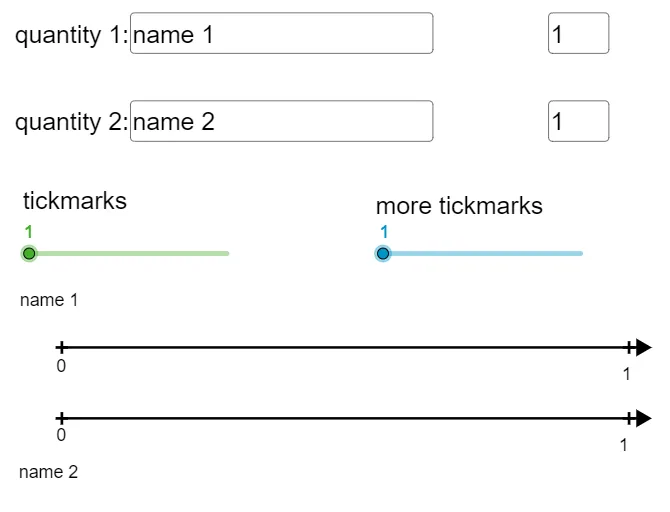
This GeoGebra example demonstrates how to compare different quantitative relationships using ratios in practical scenarios. The core mathematical concepts include natural numbers, ratios, greatest common divisor (GCD), sequences (Sequence), and geometric elements such as points and line segments. Construction details: Using GeoGebra commands like Textfield, Point, Segment, Text, GCD, and Sequence to create an interactive practice environment. InputBox elements allow user input, while text objects (text1-text8) and geometric objects (points A-H, segments) visually present the comparison process. Buttons (button1/button2) control the practice flow. Suitable for middle to high school mathematics teaching, particularly ideal for classroom exercises and self-exploration of ratio concepts, sequence patterns, and geometric constructions.
GeoGebra Commands & Parameters
Textfield(text4) → InputBox2Textfield(Q1Jump) → InputBox4Textfield(text5) → InputBox3Textfield(Q2Jump) → InputBox5Point(a) → DSegment(A, D) → cSegment(B, C) → dText("20%", (scale - 0.25, y(A) + yOffSet)) → text6Text(8, (scale - 0.12, y(B) + yOffSet)) → text7GCD(Q1Jump, Q2Jump) → gSegment(A, I) → iSegment(B, J) → kText(0, (x(A) - 0.12, y(A) - (1.2 * yOffSet))) → text2Sequence(((e * v), h), v, 0, f) → Q1marksSequence(((e * k), 0), k, 0, f) → Q2marksSequence(Text[(q * Q1Jump), ((e * q) + topxOffSet, y(B) + yOffSet)], q, 1, f) → TextQ1Sequence(Text[(p * Q2Jump), ((e * p) + xOffSet, y(A) + yOffSet)], p, 1, f) → TextQ2Sequence(Text[(q * Q1Jump / 2), ((e / 2 * q) + topxOffSet, y(B) + yOffSet)], q, 1, (f * 2)) → TextQ1split2Sequence(((e / 2 * l), h), l, 0, (f * 2)) → Q1split2Sequence(((e / 2 * k), 0), k, 0, (f * 2)) → Q2split2Sequence(Text[(p * Q2Jump / 2), ((e / 2 * p) + (1.1 * xOffSet), y(A) + yOffSet)], p, 1, (f * 2)) → TextQ2split2Text(0, (x(B) - 0.12, y(B) + (3.2 * yOffSet))) → text3Sequence(((e / s * l), h), l, 0, (f * s)) → Q1splitSequence(((e / s * k), 0), k, 0, (f * s)) → Q2splitSequence(Text[(q * Q1Jump / s), ((e / s * q) + topxOffSet, y(B) + yOffSet)], q, 1, (f * s)) → TextQ1splitSequence(Text[(p * Q2Jump / s), ((e / s * p) + xOffSet, y(A) + yOffSet)], p, 1, (f * s)) → TextQ2split
AI Drawing Prompt Reference
Create a coordinate-plane ratio comparison diagram driven by two user inputs Q1 and Q2. Plot a point on the left and another point above it to form one main segment, and plot two corresponding points to form a second main segment. Add textual labels showing a percentage (e.g., 20%) near the upper area and an integer label (e.g., 8) near the other segment. Compute and display the greatest common divisor of Q1 and Q2, then draw additional segment pieces that represent splitting along vertical direction. Generate two sequences of small text labels along the two split directions, placing each label at the corresponding partition endpoints and keeping them visually aligned with the segment pieces. Include the compared split cases (full, halved, and by a chosen divisor) through the arranged text labels and aligned segment partitions.
The prompt above was compiled from the original drawing commands and is for reference only.