
Comparing and Ordering Fractions and Decimals
Loading the math board and drawing, please wait…
In collections
Ordnen und Vergleichen von Bruchzahlen
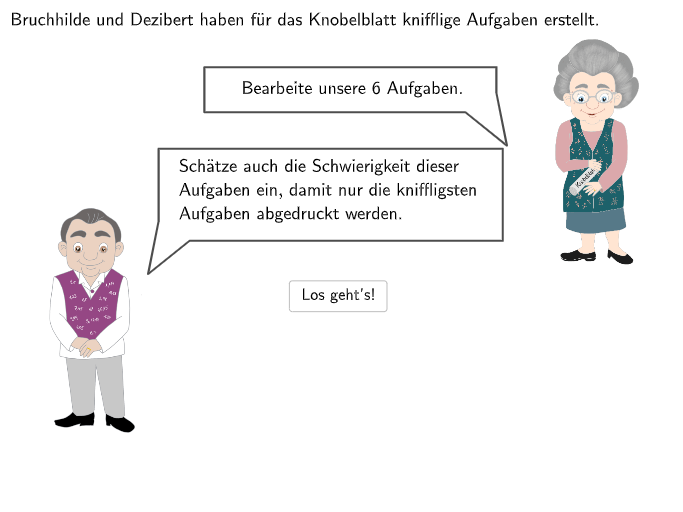
This interactive math puzzle features趣味 characters 'Bruchhilde' (Fraction Hilde) and 'Dezibert' (Decimal Bert) to guide students in comparing and ordering natural numbers, non-negative decimals, and fractions. The core mathematical concept is comparison of rational numbers, developing number sense and operational skills. Construction highlights: Uses Shuffle for random question selection, Textfield and DropDown for interactive inputs, Polygon and Circle for decorative graphics, If conditions and IsInRegion for answer checking, and SpeechBubble elements for conversational feedback. Suitable for grades 5-6, this resource can be used for classroom practice or self-study, helping students build intuitive understanding of rational number comparison.
GeoGebra Commands & Parameters
SelectedIndex(DropDown) → Index1Shuffle(Sequence[1, 6, 1]) → exNumList, {3, 1, 6, 5, 4, 2}Midpoint(Corner[BoxEx4Nuesse, 1], Corner[BoxEx4Nuesse, 3]) → PosNuesseMidpoint(Corner[BoxEx4Sauerrahm, 1], Corner[BoxEx4Sauerrahm, 3]) → PosSauerrahmMidpoint(Corner[BoxEx4Butter, 1], Corner[BoxEx4Butter, 3]) → PosButterMidpoint(Corner[BoxEx4Zucker, 1], Corner[BoxEx4Zucker, 3]) → PosZuckerCircle(MC1, radius) → c1Circle(MC2, radius) → c2Circle(MC3, radius) → c3Circle(MC4, radius) → c4Circle(MC5, radius) → c5Midpoint(Corner[BoxEx4Mehl, 1], Corner[BoxEx4Mehl, 3]) → PosMehlIsInRegion(PosMehl, c5) → correctex3mehlIsInRegion(PosZucker, c2) → correctex3zuckerIsInRegion(PosButter, c1) → correctex3butterIsInRegion(PosSauerrahm, c3) → correctex3sauerrahmIsInRegion(PosNuesse, c4) → correctex3nuesseTextfield(input1) → InputBox1Textfield(input2) → InputBox2Polygon(PtopLeftCornerFeedback, PtopRightCornerFeedback, PbottomRightCornerFeedback, PbottomLeftCornerFeedback) → rectangleCorrect, rectangleCorrectS3, rectangleCorrectS4, rectangleCorrectS2, rectangleCorrectS1Shuffle(Sequence[Random[0, 10], i, 1, 100]) → randomNosForX, {4, 0, 7, 9, 7, 1, 7, 10, 6, 7, 0, 9, 3, 8, 0, 4, 2, 2, 2, 6, 6, 3, 9, 1, 3, 6, 2, 4, 10, 1, 2, 7, 6, 0, 0, 1, 1, 7, 8, 3, 0, 0, 9, 5, 5, 6, 10, 8, 5, 3, 2, 4, 7, 5, 3, 6, 8, 6, 10, 10, 7, 7, 8, 1, 8, 5, 3, 0, 1, 10, 5, 2, 7, 5, 10, 7, 7, 1, 5, 5, 0, 3, 7, 2, 9, 0, 0, 7, 8, 3, 8, 7, 6, 2, 9, 4, 4, 8, 4, 1}Element(randomNosForX, Mod[questionCount, 100] + 1) → numXShuffle(Sequence[Random[0, 10], i, 1, 100]) → randomNosForY, {3, 5, 9, 10, 9, 3, 10, 1, 10, 3, 3, 1, 4, 8, 8, 6, 10, 10, 9, 3, 6, 0, 6, 10, 8, 5, 9, 10, 8, 9, 9, 10, 10, 9, 2, 4, 1, 6, 6, 9, 8, 3, 1, 3, 4, 2, 2, 9, 10, 2, 5, 2, 1, 0, 0, 6, 2, 7, 0, 6, 3, 2, 4, 5, 5, 10, 6, 5, 1, 10, 1, 9, 3, 10, 6, 10, 6, 2, 3, 8, 0, 10, 8, 9, 5, 10, 9, 4, 4, 4, 8, 9, 0, 1, 10, 2, 10, 0, 5, 6}Element(randomNosForY, Mod[questionCount, 100] + 1) → numYAppend(true, Sequence[If[randomNosForX(i) ≟ randomNosForX(i - 1), false, true], i, 2, 100]) → stayXAppend(true, Sequence[If[randomNosForY(i) ≟ randomNosForY(i - 1), false, true], i, 2, 100]) → stayYRemove(Sequence[If[stayX(i), randomNosForX(i), 0], i, 1, 100], Sequence[0, i, 1, 100]) → randomNosForXwithoutRepeatRemove(Sequence[If[stayY(i), randomNosForY(i), 0], i, 1, 100], Sequence[0, i, 1, 100]) → randomNosForYwithoutRepeatElement(randomNosForXwithoutRepeat, Mod[questionCount, Length[randomNosForXwithoutRepeat]] + 1) → numXwithoutRepeatElement(randomNosForYwithoutRepeat, Mod[questionCount, Length[randomNosForYwithoutRepeat]] + 1) → numYwithoutRepeatSpeechBubbleLeft(I, 6, 1.4) → Vieleck1SpeechBubbleRight(J, 5, 0.5) → Vieleck2Segment(K, L) → fPoint(f) → DifficultyTextfield(input3) → InputBox3Textfield(input4) → InputBox4Textfield(input5) → InputBox5Textfield(input6) → InputBox6Text(correctText, W, false, true, 0, 0) → Text2If(exNum ≟ 4, 4, 3) → inputlaengeTextfield(input7) → InputBox7Textfield(input8) → InputBox8Textfield(input9) → InputBox9Textfield(input10) → InputBox10Textfield(input11) → InputBox11Textfield(input12) → InputBox12
AI Drawing Prompt Reference
This is an interactive math graphic featuring two fun characters, Bruchhilde and Dezibert, who guide students in comparing fractions and decimals. The graphic includes random question selection, text input boxes, answer-checking circular regions, and feedback rectangles and bubbles. The construction order is: first place the characters, then create a question list, randomly select a question, create input boxes and answer-checking regions, and finally add feedback elements.
The prompt above was compiled from the original drawing commands and is for reference only.