
Combining Spirals
Loading the math board and drawing, please wait…
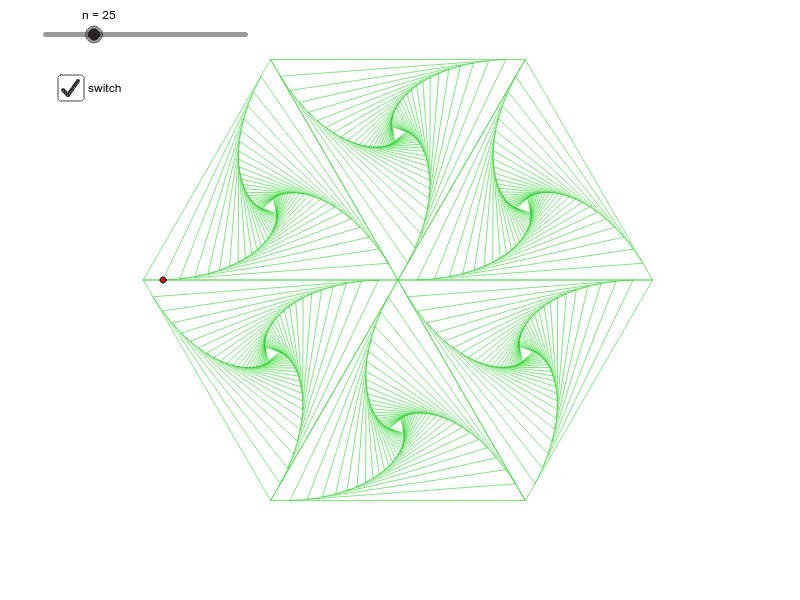
This example demonstrates the creation of spiral graphs by combining dilations and rotations of triangles. It involves core math concepts like parametric curves, polygons, linear functions, correlation, and differential calculus. The construction utilizes GeoGebra commands such as Polygon, Circle, Center, Point, Angle, Sequence, Mirror, and Rotate. Suitable for high school and above students to explore spatial transformations and parametric equations.
GeoGebra Commands & Parameters
Polygon(A, B, 3) → poly1, a, b, c, CCircle(A, C, B) → dCenter(d) → DPoint(a) → EAngle(A, D, E) → αSequence(Rotate[Dilate[poly1, r^(k - 1), D], (α * (k - 1)), D], k, 1, n) → list1Mirror(list1, b) → list2Mirror(list1, a) → list3Mirror(list2, a) → list4Mirror(list3, b) → list5Mirror(list5, a) → list6Rotate(list1, 60*°, B) → list7Rotate(list7, 60*°, B) → list8Rotate(list8, 60*°, B) → list9Rotate(list9, 60*°, B) → list10Rotate(list10, 60*°, B) → list11
AI Drawing Prompt Reference
Create a complex pattern by combining spiral graphs formed from dilations and rotations of triangles. Start with a triangle and draw a circle around one of its vertices to find the center. Then, generate a series of spiral curves by scaling and rotating the triangle multiple times based on a parameter. Finally, mirror these curves across the triangle's sides and rotate them around the vertices several times to form a intricate spiral composition.
The prompt above was compiled from the original drawing commands and is for reference only.