
Classifying Triangles by Angles: Acute, Right, and Obtuse
Loading the math board and drawing, please wait…
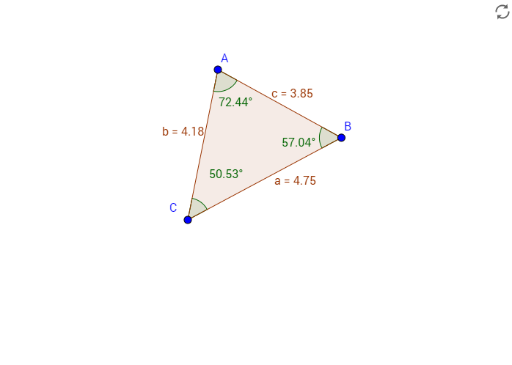
This GeoGebra example dynamically demonstrates how to classify triangles based on their interior angles into acute, right, or obtuse triangles. The core mathematical concept is the triangle angle sum theorem (180°) and the criterion of identifying the largest angle to determine the triangle type. Construction details: the Segment command creates the three sides, Point defines vertices A, B, C, Polygon generates triangle poly1, and Angle measures the interior angles α, β, γ. Auxiliary objects include segments c, a, b and points E, D, f. Suitable for middle school geometry lessons, this interactive tool allows students to drag vertices and observe how angle changes affect classification, reinforcing conceptual understanding through exploration.
GeoGebra Commands & Parameters
Segment(D, E) → fPoint(f) → BPolygon(A, B, C) → poly1, c, a, bAngle(C, A, B) → αAngle(A, B, C) → βAngle(B, C, A) → γ
AI Drawing Prompt Reference
Draw triangle ABC and use the segment command to create its three sides. Then measure the angles CAB, ABC, and BCA, and observe to classify the triangle as acute, right, or obtuse.
The prompt above was compiled from the original drawing commands and is for reference only.