
Circle Area and Probability Demo by Joy
Loading the math board and drawing, please wait…
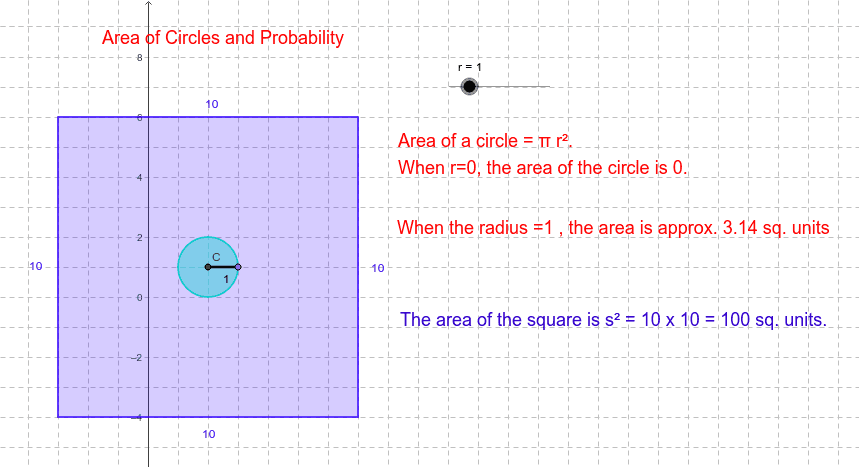
This example dynamically demonstrates the integration of circle area and probability problems, revealing the application of geometric shapes in probability calculations. Core concepts include the circle area formula, probability computation, conditional probability, vectors, and geometric constructions. Construction highlights are derived from GeoGebra commands like Polygon, Segment, Intersect, Circle, Point, and objects A, B, G, D, P, a, b, c, d, e, f, C, r, h, g, E, i, T1, T2, T3, T4. Suitable for high school and above learners to understand the intersection of geometry and probability through dynamic visualization.
GeoGebra Commands & Parameters
Polygon(A, B, G, D) → P, a, b, c, dSegment(A, G) → eSegment(B, D) → fIntersect(e, f) → CCircle(C, 0) → hCircle(C, r) → gPoint(g) → ESegment(C, E) → i
AI Drawing Prompt Reference
Draw a circle with center C and radius r, then construct a quadrilateral ABGD inside the circle. Connect point A to point G and point B to point D, and their intersection is point C. Then draw another circle with center C and radius r, and pick a point E on the circle. Connect point C to point E.
The prompt above was compiled from the original drawing commands and is for reference only.