
Circle Area and Circumference by user3050
Loading the math board and drawing, please wait…
In collections
Area and circumference of a circle
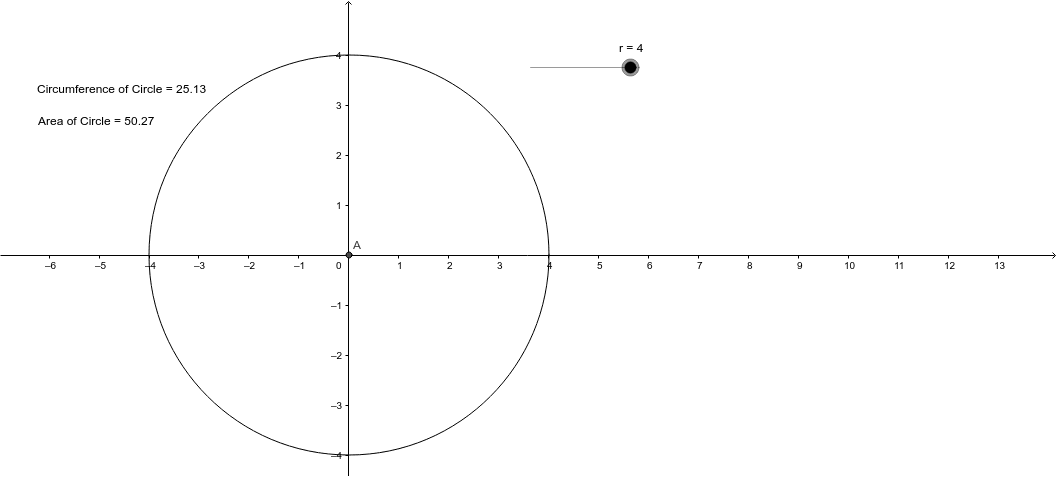
This example demonstrates the calculation formulas and dynamic changes of circle area and circumference. It involves core mathematical concepts such as the area formula, circumference formula, and geometric construction. Key GeoGebra commands and objects used include Intersect, Circle, Circumference, Area, Textc, areaCircle, and TextCircle, as summarized in the construction abstract. It is suitable for middle school and above mathematics education, visualizing basic circle properties and formula applications.
GeoGebra Commands & Parameters
Intersect(xAxis, yAxis) → ACircle(A, r) → CircleCircumference(Circle) → circumferencecArea(Circle) → areaCircle
AI Drawing Prompt Reference
Draw a circle and display its area and circumference formulas, showing dynamic changes when the radius varies. First, find the intersection point of the coordinate axes as the circle's center, then draw a circle with this center. Next, draw the circumference of the circle and calculate and display its area and circumference values.
The prompt above was compiled from the original drawing commands and is for reference only.