
Check Consistency of Linear Equation System
Loading the math board and drawing, please wait…
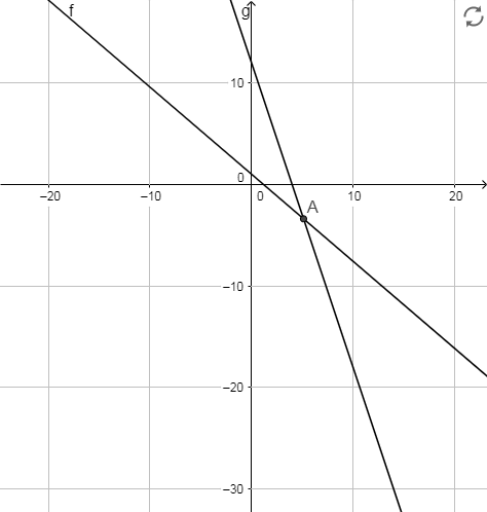
This example demonstrates how to check the consistency of a linear equation system using geometric figures. Key mathematical concepts include linear equations and intersection points. The Intersect command is used to find the intersection point A of two lines. Suitable for high school math education and learning.
GeoGebra Commands & Parameters
Intersect(f, g) → A
AI Drawing Prompt Reference
Draw a Cartesian coordinate plane with two straight lines, one sloping upward and the other sloping downward, intersecting at a single point. Mark the intersection point prominently with a dot and label it clearly. The figure illustrates the consistency of a linear equation system by showing the unique intersection of the two lines. Ensure the axes have tick marks, the lines are in distinct colors, and the intersection point is highlighted.
The prompt above was compiled from the original drawing commands and is for reference only.