
Changes in Latitude
Loading the math board and drawing, please wait…
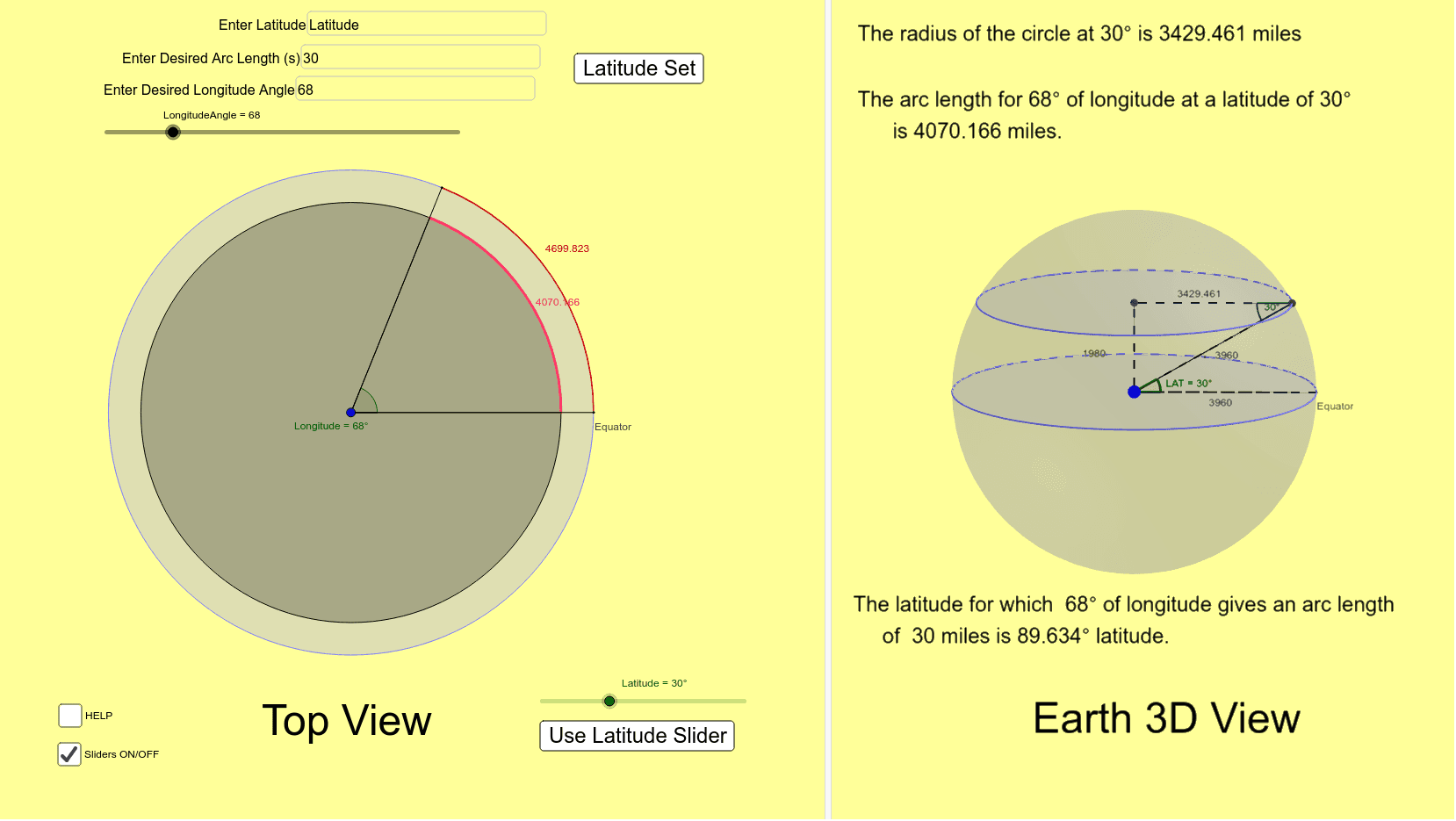
This example demonstrates how to calculate the arc length at a given latitude and longitude angle. Key mathematical concepts include trigonometry, arc length, and coordinate geometry. Construction involves Geogebra commands like Circle, Intersect, and Rotate. Suitable for high school students or college freshmen learning trigonometry and geometric constructions.
GeoGebra Commands & Parameters
Circle(Z, 3960) → cIntersect(c, xAxis, 2) → EquatorRotate(Equator, LatitudeOrig, Z) → Equator'Segment(Z, Equator) → aLine(Equator', a) → dIntersect(d, yAxis) → ASegment(A, Equator') → NewRadiusAngle(Equator, Z, Equator') → αSegment(Z, Equator') → bSphere(Z, 3960) → eOrthogonalLine(P, xOyPlane) → fIntersect(f, e) → B, CCircle(zAxis, C) → gCenter(g) → DSegment(D, C) → hSegment(Z, D) → iSegment(Z, P) → jAngle(C, Z, P) → LATSegment(Z, C) → mSegment(Z, Equator) → nCircle(Z, NewRadius) → pIntersect(p, n, 1) → ERotate(P, LongitudeAngle°, Z) → P'Segment(Z, E) → qSegment(Z, P') → radiusAngle(E, Z, P', xOyPlane) → LongitudeDistance(P', P) → distanceP'PCircleArc(Z, P, P', xOyPlane) → tTextfield(LatitudeOrig) → InputBox1Textfield(s) → InputBox2Textfield(LongitudeAngle) → InputBox3Rotate(Equator, LongitudeAngle°, Z) → Equator'_1Segment(Z, Equator'_1) → a_1Segment(Z, Equator) → b_1CircleArc(Z, Equator, Equator'_1) → c_1Angle(D, C, Z) → β
AI Drawing Prompt Reference
Draw a globe with the equator and a given latitude line, demonstrating how to calculate the arc length of the latitude line through geometric constructions. Start by drawing the Earth and equator, then rotate the equator to get the target latitude line. Calculate and draw the new radius, and finally determine and label the longitude angle and arc length using spherical geometry to show the calculation process.
The prompt above was compiled from the original drawing commands and is for reference only.