
Cartesian and Parametric Equations of a Circle
Loading the math board and drawing, please wait…
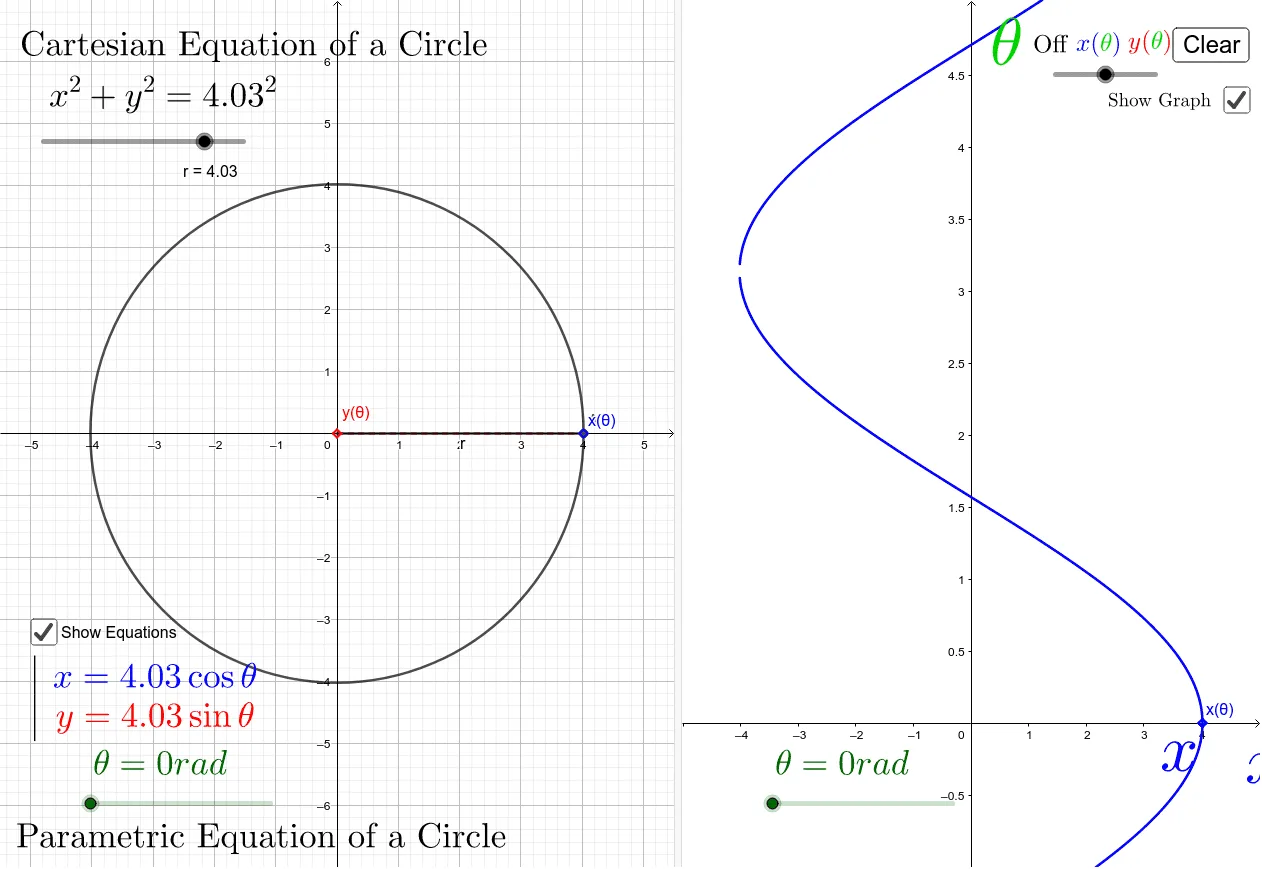
This example demonstrates the Cartesian and parametric equations of a circle. Key mathematical concepts include the equation of a circle, parametric equations, and their geometric meanings. The construction involves rotation, intersection, and other commands, touching on angles and vectors. Suitable for high school mathematics education and learning.
GeoGebra Commands & Parameters
Intersect(c, xAxis, 2) → AIntersect(xAxis, yAxis) → BRotate(A, θ, B) → A'Angle(A, B, A') → αOrthogonalLine(A', yAxis) → fIntersect(f, yAxis) → CSegment(C, A') → gOrthogonalLine(A', xAxis) → hIntersect(h, xAxis) → DSegment(A', D) → iSegment(B, A') → r_1If(a ≟ 1, 0, a ≟ 2, r + 1, a ≟ 3, Yfixmax) → YmaxIf(a ≟ 1, 0, a ≟ 2, (-r) - 1, a ≟ 3, -1) → XminOrthogonalLine(E, yAxis) → jIntersect(j, yAxis) → FRay(E, F) → kOrthogonalLine(G, xAxis) → lIntersect(l, xAxis) → HSegment(G, H) → mIf(a ≟ 1, 10, a ≟ 2, r + 1, a ≟ 3, 6.5) → XmaxIf(a ≟ 1, -1, a ≟ 2, -1, a ≟ 3, Yfixmin) → Ymin
AI Drawing Prompt Reference
Draw a circle centered at the origin with a given radius. Mark the intersection of the circle with the positive x-axis. Rotate a point on the circle around the center by an angle to create a new point, and label the angle. From the new point, draw perpendiculars to both axes, marking the feet, and connect them to the new point with segments. Also connect the center to the new point as a radius. Additionally, draw a horizontal ray and a vertical ray outside the circle, intersecting the axes, and connect those intersections with a segment. Adjust the coordinate axes to fit the entire figure.
The prompt above was compiled from the original drawing commands and is for reference only.