
Calling to Order: Comparing Real Numbers with Inequality Visuals
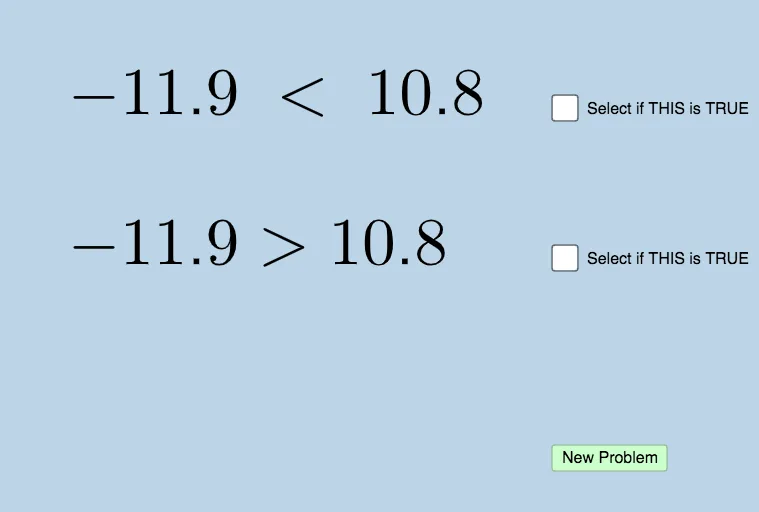
Loading the math board and drawing, please wait…
This example visually demonstrates how to compare real numbers by mapping inequality conditions to positions relative to interval boundaries on a coordinate plane. It highlights the relationship between order relations (greater/less than) and geometric placement of endpoints, using graph-based intuition. Key concepts include inequality reasoning, real-number interval representation, and linear-function style depiction of boundary relationships; it can also support probability intuition when random selections are used to generate sample points. Construction is driven by the provided GeoGebra commands and objects: Sequence is used to generate ordered collections, RandomElement selects sample values interactively, and Union combines sets/intervals that define the comparison regions. Diagram elements such as L, a, right/left, L1, b represent left/right bounds, while text1–text4 label the inequality or comparison outcome. button1 together with parameters c, d, e provides user interaction for updating the scenario. Suitable for secondary education (algebra & inequalities) through introductory college mathematics, especially for teaching graphing of inequalities and interval reasoning.
GeoGebra Commands & Parameters
Sequence(i, i, -20, 20, 0.1) → LRandomElement(L) → aSequence(i, i, a + 0.1, 20, 0.1) → rightSequence(i, i, -20, a - 0.1, 0.1) → leftUnion(left, right) → L1RandomElement(L1) → b
AI Drawing Prompt Reference
Draw a coordinate plane to visually demonstrate inequalities within the interval [-20, 20]. First, generate a sequence of points from -20 to 20, randomly select a point a as the boundary, then create intervals to the right and left of a, combine them into L1. Finally, randomly select a point b from L1, draw lines for a and b, and label their values and the inequality a > b or a < b.
The prompt above was compiled from the original drawing commands and is for reference only.