
Calculation Snake
Loading the math board and drawing, please wait…
In collections
Wiederholung: Längen- und Flächenmaße
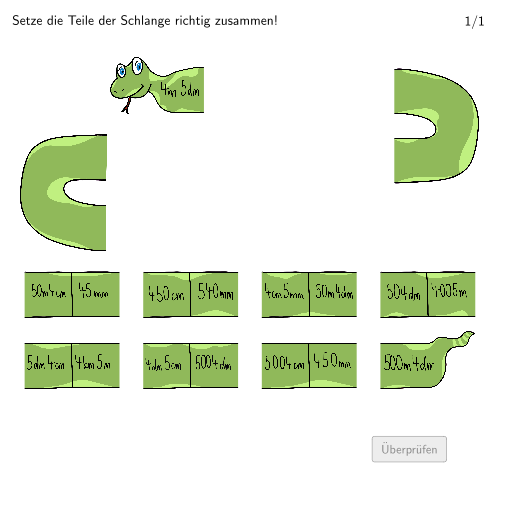
This example demonstrates a dynamic calculation snake, where dragging sliders allows observation of varying polygon shapes. Core math concepts include polygon construction, length measurement, and perimeter calculation. Construction highlights the use of GeoGebra commands like Segment, Textfield, Polygon, Shuffle, Element, Append; objects include Qsol, S_1, Osol, etc. Suitable for 5-6th grade students learning length unit conversion and perimeter calculation.
GeoGebra Commands & Parameters
Segment(K_1, E_1) → jSegment(B_1, C_1) → gTextfield(aInput) → InputBox1Textfield(bInput) → InputBox2Segment(Csol, A_1) → fSegment(C_1, Esol) → hSegment(E_1, Gsol) → iSegment(L_1, Msol) → lSegment(Isol, J_1) → kSegment(Ksol, P_1) → mSegment(Osol, U_1) → nSegment(Qsol, S_1) → pPolygon(PtopLeftCornerFeedback, PtopRightCornerFeedback, PbottomRightCornerFeedback, PbottomLeftCornerFeedback) → rectangleCorrect, ptopleftcornerfeedback, ptoprightcornerfeedback, pbottomrightcornerfeedback, pbottomleftcornerfeedbackShuffle(Sequence[Random[0, 10], i, 1, 100]) → randomNosForX, {6, 10, 7, 9, 4, 6, 5, 0, 9, 5, 4, 3, 7, 6, 5, 9, 2, 4, 4, 1, 1, 6, 7, 0, 2, 8, 5, 10, 7, 4, 5, 0, 4, 4, 5, 0, 2, 9, 6, 8, 3, 1, 9, 7, 6, 7, 6, 10, 4, 4, 7, 9, 5, 0, 6, 0, 3, 5, 1, 7, 4, 2, 10, 1, 9, 0, 8, 4, 6, 2, 3, 1, 2, 0, 10, 5, 2, 4, 7, 10, 3, 8, 8, 9, 2, 5, 7, 8, 7, 4, 10, 1, 8, 10, 4, 4, 8, 2, 6, 0}Element(randomNosForX, Mod[questionCount, 100] + 1) → numXShuffle(Sequence[Random[0, 10], i, 1, 100]) → randomNosForY, {10, 3, 8, 1, 9, 7, 2, 4, 8, 5, 7, 1, 2, 10, 4, 2, 7, 3, 1, 6, 6, 9, 9, 8, 0, 6, 7, 7, 4, 5, 0, 3, 1, 5, 10, 4, 2, 1, 3, 5, 2, 3, 3, 3, 8, 1, 8, 0, 10, 10, 10, 8, 6, 5, 4, 4, 5, 2, 3, 0, 2, 8, 1, 0, 0, 5, 2, 0, 8, 6, 3, 0, 7, 3, 10, 3, 7, 0, 8, 6, 4, 6, 8, 10, 8, 1, 7, 10, 10, 4, 4, 9, 7, 8, 2, 2, 2, 2, 7, 7}Element(randomNosForY, Mod[questionCount, 100] + 1) → numYAppend(true, Sequence[If[randomNosForX(i) ≟ randomNosForX(i - 1), false, true], i, 2, 100]) → stayX
AI Drawing Prompt Reference
Draw a dynamic polygon where the shape changes by dragging sliders. First, draw several line segments connecting points to form a polygon. Then, use text fields to input values and adjust the lengths of the segments accordingly to calculate the perimeter of the polygon.
The prompt above was compiled from the original drawing commands and is for reference only.