
Calculate Perimeter and Area
Loading the math board and drawing, please wait…
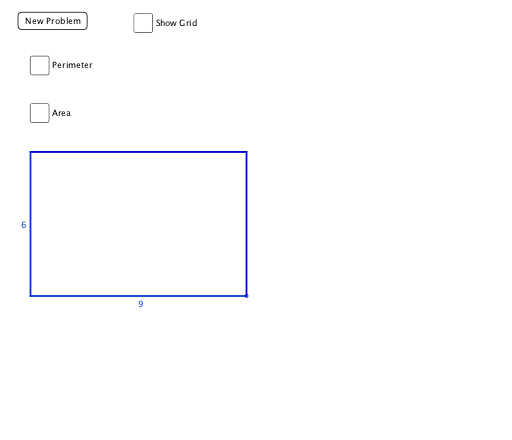
This example demonstrates how to use GeoGebra to calculate and visualize the perimeter and area of a triangle. Key math concepts include perimeter, area, and geometric construction. It utilizes commands/objects like Random, OrthogonalLine, Intersect, Segment, Point. Suitable for middle school and above students to explore basic properties of geometric figures.
GeoGebra Commands & Parameters
Random(1, 10) → HeightRandom(1, 10) → BaseOrthogonalLine(B, xAxis) → aOrthogonalLine(A, yAxis) → bIntersect(a, b) → CSegment(B, C) → cSegment(C, A) → dOrthogonalLine(B, c) → eOrthogonalLine(A, d) → fIntersect(e, f) → DSegment(A, D) → gSegment(D, B) → hPoint(xAxis) → EPoint(xAxis) → FPoint(xAxis) → GPoint(xAxis) → HPoint(xAxis) → IPoint(xAxis) → JPoint(xAxis) → KPoint(xAxis) → LPoint(xAxis) → MOrthogonalLine(E, xAxis) → iOrthogonalLine(F, xAxis) → jOrthogonalLine(G, xAxis) → kOrthogonalLine(H, xAxis) → lOrthogonalLine(I, xAxis) → mOrthogonalLine(J, xAxis) → nOrthogonalLine(K, xAxis) → pOrthogonalLine(L, xAxis) → qOrthogonalLine(M, xAxis) → rIntersect(i, d) → NIntersect(j, d) → OIntersect(k, d) → PIntersect(l, d) → QIntersect(m, d) → RIntersect(n, d) → SIntersect(p, d) → TIntersect(q, d) → UIntersect(r, d) → VIntersect(r, h) → WIntersect(q, h) → ZIntersect(p, h) → A_1Intersect(n, h) → B_1Intersect(m, h) → C_1Intersect(l, h) → D_1Intersect(k, h) → E_1Intersect(j, h) → F_1Intersect(i, h) → G_1Segment(N, G_1) → sSegment(O, F_1) → tSegment(E_1, P) → a_1Segment(Q, D_1) → b_1Segment(C_1, R) → c_1Segment(S, B_1) → d_1Segment(A_1, T) → e_1Segment(U, Z) → f_1Segment(W, V) → g_1Point(yAxis) → H_1Point(yAxis) → I_1Point(yAxis) → J_1Point(yAxis) → K_1Point(yAxis) → L_1Point(yAxis) → M_1Point(yAxis) → N_1Point(yAxis) → O_1Point(yAxis) → P_1Point(yAxis) → Q_1OrthogonalLine(H_1, s) → h_1OrthogonalLine(I_1, s) → i_1OrthogonalLine(J_1, s) → j_1OrthogonalLine(K_1, s) → k_1OrthogonalLine(L_1, s) → l_1OrthogonalLine(M_1, s) → m_1OrthogonalLine(N_1, s) → n_1OrthogonalLine(O_1, s) → p_1OrthogonalLine(P_1, s) → q_1OrthogonalLine(Q_1, s) → r_1Intersect(r_1, g) → R_1Intersect(q_1, g) → S_1Intersect(p_1, g) → T_1Intersect(n_1, g) → U_1Intersect(m_1, g) → V_1Intersect(l_1, g) → W_1Intersect(k_1, g) → Z_1Intersect(j_1, g) → A_2Intersect(i_1, g) → B_2Intersect(h_1, g) → C_2Intersect(h_1, c) → D_2Intersect(i_1, c) → E_2Intersect(j_1, c) → F_2Intersect(k_1, c) → G_2Intersect(l_1, c) → H_2Intersect(m_1, c) → I_2Intersect(n_1, c) → J_2Intersect(p_1, c) → K_2Intersect(q_1, c) → L_2Intersect(r_1, c) → M_2Segment(C_2, D_2) → s_1Segment(E_2, B_2) → t_1Segment(A_2, F_2) → a_2Segment(G_2, Z_1) → b_2Segment(W_1, H_2) → c_2Segment(I_2, V_1) → d_2Segment(U_1, J_2) → e_2Segment(K_2, T_1) → f_2Segment(S_1, L_2) → g_2Segment(M_2, R_1) → h_2
AI Drawing Prompt Reference
Draw a right triangle with two randomly generated leg lengths. From the right-angle vertex, draw perpendiculars to the two coordinate axes, intersecting at a point to complete the triangle. Then from the other two vertices, draw perpendiculars to the opposite sides, intersecting at a point, and connect this point to the two vertices to form a rectangle. Place multiple random points on the base (x-axis), draw perpendiculars to the x-axis from each, and intersect these perpendiculars with the two slanted sides of the triangle, creating a series of intersection points that form a grid-like set of auxiliary lines inside and outside the triangle, illustrating the calculation of perimeter and area.
The prompt above was compiled from the original drawing commands and is for reference only.