
Calculate Percentages
Loading the math board and drawing, please wait…
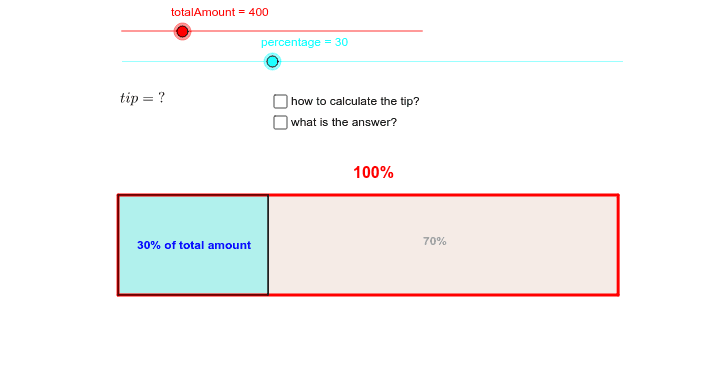
This example visually represents the percentage distribution of a total amount. Key mathematical concepts include percentage calculation and geometric construction. It utilizes commands such as Point, Segment, OrthogonalLine, Circle, Intersect, Polygon, and Midpoint in GeoGebra. Suitable for middle school and above students to learn percentages and geometric construction.
GeoGebra Commands & Parameters
Point(Circle[A, 10]) → BSegment(A, B) → aOrthogonalLine(B, a) → bCircle(A, 2) → cOrthogonalLine(A, a) → dIntersect(c, d) → D_2, DOrthogonalLine(D, d) → eIntersect(b, e) → EPolygon(A, B, E, D) → poly1, a_1, b_1, e_1, d_1Segment((0.1 * percentage, x(A)), Point[Circle[(0.1 * percentage, y(A)), 2]]) → f_1Segment((0.1 * percentage + x(A), y(A)), (0.1 * percentage + x(A), y(D))) → fIntersect(f, e_1) → FIntersect(f, a_1) → GMidpoint(A, F) → CMidpoint(G, E) → HMidpoint(D, E) → IPolygon(A, G, F, D) → poly2, a_2, g, f_2, d_2
AI Drawing Prompt Reference
Draw a polygon with points A, B, E, and D. Add a perpendicular line from A to D. Construct a circle centered at A and a perpendicular line to segment AB. Find the intersection of the circle and the perpendicular line to get D2, and the intersection of segment AB and the perpendicular line to get a point. Draw a perpendicular line from D to the perpendicular line and intersect it to get point E. Connect points A, B, E, and D to form the polygon, and add small line segments to represent percentage distribution.
The prompt above was compiled from the original drawing commands and is for reference only.