
Bertrand Paradox - All in One
Loading the math board and drawing, please wait…
In collections
probability
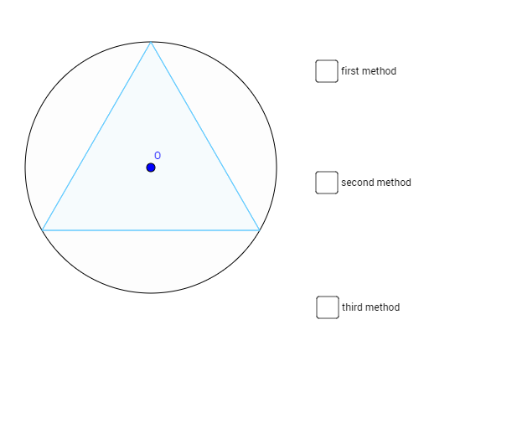
This example demonstrates the Bertrand Paradox by visualizing probability distributions under different random point selection methods within a circle. It involves core concepts like Probability & Statistics, Geometric Construction, Calculus (Integral & Derivative). Construction uses commands such as Circle, Point, Tangent, Rotate, Angle, Line, Intersect, Polygon, Segment, OrthogonalLine, PointIn. Suitable for high school and above mathematics education to understand classic probability paradoxes and geometric intuition.
GeoGebra Commands & Parameters
Circle(O, 3) → cPoint(c) → ATangent(A, c) → tangentLine,Point(tangentLine) → B_1Rotate(B_1, α, A) → B'Angle(B_1, A, B') → βRotate(B_1, 60°, A) → B'_1Angle(B_1, A, B'_1) → γLine(A, B'_1) → eIntersect(c, e, 2) → DPolygon(A, D, 3) → poly1, f, g, h, ELine(A, B') → line_{AB}Intersect(c, line_{AB}, 2) → BSegment(A, B) → seg_{AB}Line(A, O) → diamLineIntersect(c, diamLine, 2) → CSegment(A, C) → diamCircle(A, (m * diam)) → MConicIntersect(MConic, diam, 1) → M_{PQ}OrthogonalLine(M_{PQ}, diam) → perpToDiamLineIntersect(c, perpToDiamLine, 2) → QIntersect(c, perpToDiamLine, 1) → PSegment(P, Q) → seg_{PQ}Rotate(A, 30°, C) → A'Angle(A, C, A') → δLine(C, A') → iIntersect(c, i, 2) → FPolygon(F, C, 3) → poly2, j, k, l, GCircle(O, (0.25 * diam)) → dPointIn(c) → M_{ST}Segment(M_{ST}, O) → seg_{OMST}OrthogonalLine(M_{ST}, seg_{OMST}) → line_{ST}Intersect(c, line_{ST}, 1) → SIntersect(c, line_{ST}, 2) → TSegment(S, T) → seg_{ST}Point(tangentLine) → HPoint(tangentLine) → IPoint(tangentLine) → JPoint(tangentLine) → KSegment(H, I) → nSegment(I, A) → pSegment(A, J) → qSegment(J, K) → r
AI Drawing Prompt Reference
Draw a circle with a diameter and two tangent lines at the endpoints of the diameter. Draw perpendicular lines to the tangents that intersect the circle at two points each. Form two equilateral triangles using the diameter as one side and the intersection points. Then, draw a smaller circle with a radius one-fourth of the original diameter's length. Randomly place a point inside the circle, draw a perpendicular line from the point to the center, and mark the intersection points with the circle. Connect these points. Finally, mark equal segments on the tangent lines, connecting the endpoints and the center to form multiple triangles.
The prompt above was compiled from the original drawing commands and is for reference only.