
Basic Polynomial Functions and Graphs
Loading the math board and drawing, please wait…
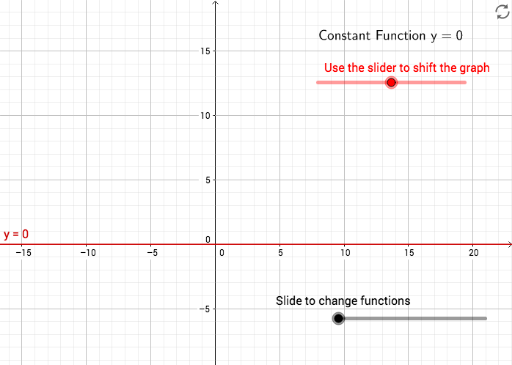
This example demonstrates the graphs and properties of basic polynomial functions, including quadratics and cubics. It covers core concepts like polynomial functions, quadratic equations, function graphing, and tangent lines. The construction uses GeoGebra commands/objects such as sliders (a, b, c), toggle (Toggle), text objects (text1, text2), and function definitions (f0, f1, f2, f3) to visualize transformations and key features. Ideal for high school mathematics education or self-study to enhance understanding of polynomial behavior and graphing techniques.
GeoGebra Commands & Parameters
Numeric a(0)y = aNumeric b(2)Numeric Toggle(0)Numeric a_{1}(1)Numeric c_{1}(0)y = (a_{1} * x) + c_{1}Numeric a_{2}(0.5)Numeric b_{2}(0.2)Numeric c_{2}(-0.1)y = (a_{2} * x^(2)) + (b_{2} * x) + c_{2}Boolean c(false)Numeric a_{2v}(1)Numeric h_{2v}(0)Numeric k_{2v}(0)y = (a_{2v} * (x - h_{2v})^(2)) + k_{2v}Boolean d(false)Numeric a_{3}(0.7)Numeric b_{3}(-2.1)Numeric c_{3}(0.6)Numeric d_{3}(3.2)f3(x) = (a_{3} * x^(3)) + (b_{3} * x^(2)) + (c_{3} * x) + d_{3}Numeric a_{2f}(0)Numeric b_{2}f(0.8)y = ((x - a_{2f}) * (x - b_{2}f))Boolean e(true)
AI Drawing Prompt Reference
Draw graphs of basic polynomial functions, including quadratics and cubics, to demonstrate their properties and transformations. Use sliders to control parameters, toggle between different functions, and label key points and tangent lines. Start with a linear function, then plot a standard quadratic and a vertex form quadratic, and finally a cubic function. These graphs should illustrate the behavior and transformations of polynomial functions.
The prompt above was compiled from the original drawing commands and is for reference only.