
Ball in a Cylinder
Loading the math board and drawing, please wait…
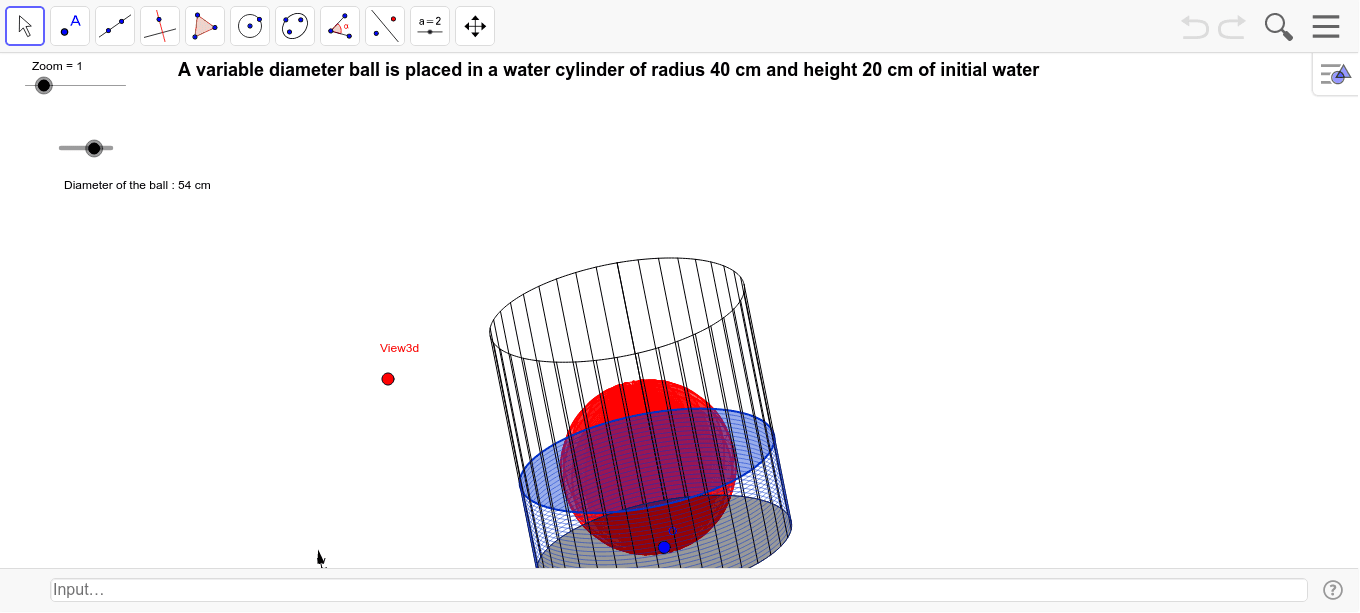
This example demonstrates the geometric shape formed by rotating a ball within a cylinder and the changes in volume. Key math concepts include solid geometry, volume of rotational solids, and vector operations. GeoGebra commands and objects used in construction are Point, Intersect, Rotate, Vector, OrthogonalLine, CurveCartesian, Midpoint, Sequence, and Circle. Suitable for high school and above students to understand rotational bodies, volume calculations, and dynamic geometry demonstrations, as well as for mathematical modeling education.
GeoGebra Commands & Parameters
Point(xAxis) → EIntersect(f, xAxis) → H, H_2Rotate(H, 90.0*°, E) → IVector(B_1, Z) → wVector(B_1, X) → uVector(B_1, Y) → vOrthogonalLine(View3d, yAxis) → a_1OrthogonalLine(View3d, xAxis) → bCurveCartesian(x(O - R * (0.0 * sin(i°) * w + sin(i°) * u - cos(i°) * v)), y(O - R * (0.0 * sin(i°) * w + sin(i°) * u - cos(i°) * v)), i, 0.0, 360.0) → aCurveCartesian(x(A - R * (0.0 * sin(i°) * w + sin(i°) * u - cos(i°) * v)), y(A - R * (0.0 * sin(i°) * w + sin(i°) * u - cos(i°) * v)), i, 0.0, 360.0) → eMidpoint(B, O) → CSequence(CurveCartesian[x(C + d / 2.0 * cos(i) * cos(j) * u + d / 2.0 * sin(i) * cos(j) * v + d / 2.0 * sin(j) * w), y(C + d / 2.0 * cos(i) * cos(j) * u + d / 2.0 * sin(i) * cos(j) * v + d / 2.0 * sin(j) * w), i, 0.0, 6.28319], j, -1.5708, 1.5708, 3.141592653589793 / m) → liste1Sequence(CurveCartesian[x(C + d / 2.0 * cos(i) * cos(j) * u + d / 2.0 * cos(i) * sin(j) * v + d / 2.0 * sin(i) * w), y(C + d / 2.0 * cos(i) * cos(j) * u + d / 2.0 * cos(i) * sin(j) * v + d / 2.0 * sin(i) * w), i, 0.0, 6.28319], j, 0.0, 6.28319, 3.141592653589793 / m) → liste2Circle(C, d / 2.0) → d_1Sequence(O - R * (0.0 * sin(i°) * w + sin(i°) * u - cos(i°) * v), i, 0.0, 360.0, 360.0 / n) → liste3Sequence(A - R * (0.0 * sin(i°) * w + sin(i°) * u - cos(i°) * v), i, 0.0, 360.0, 360.0 / n) → liste4CurveCartesian(x(D - R * (0.0 * sin(i°) * w + sin(i°) * u - cos(i°) * v)), y(D - R * (0.0 * sin(i°) * w + sin(i°) * u - cos(i°) * v)), i, 0.0, 360.0) → ffSequence(Segment[Element[liste3, i], Element[liste4, i]], i, 1.0, Length[liste4]) → liste5Vector(D, O) → zSequence(Translate[ff, i * z], i, 0.0, 1.0, 0.05) → liste6CurveCartesian(x(D - d / 2.0 * (0.0 * sin(i°) * w + sin(i°) * u - cos(i°) * v)), y(D - d / 2.0 * (0.0 * sin(i°) * w + sin(i°) * u - cos(i°) * v)), i, 0.0, 360.0) → i
AI Drawing Prompt Reference
Draw a cylinder and a sphere inside it, showing the geometric shape formed by rotating the sphere and the change in volume. Start by drawing the cylinder's axis, then find the intersection points between the axis and the cylinder surface. Rotate one intersection point 90 degrees around the axis to get another intersection point. Define three perpendicular vectors to describe the sphere's rotation. Draw lines perpendicular to the Y and X axes, then use parametric equations to plot the curves of the sphere and the cylinder surface. Calculate the midpoint of the sphere and cylinder, and use the midpoint and vectors to generate the rotating surface of the sphere. Finally, rotate the sphere vertically to demonstrate the dynamic changes of the rotating body.
The prompt above was compiled from the original drawing commands and is for reference only.