
Balance Beam: Finding the Balance Point for Weights on a Beam
Loading the math board and drawing, please wait…
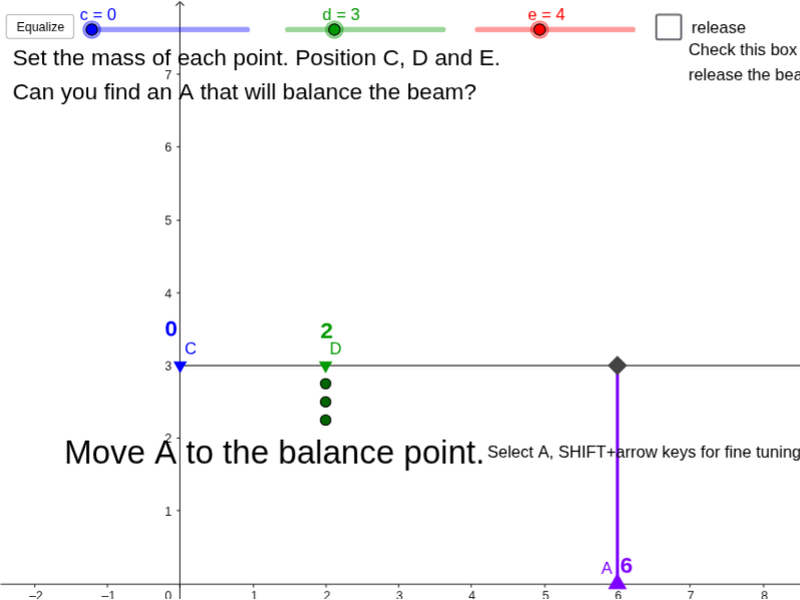
① This interactive GeoGebra example demonstrates how to locate the balance point (fulcrum) for multiple weights placed on a beam, providing a visual and dynamic exploration of equilibrium. ② Core mathematical concepts include weighted averages (center of mass/centroid), torque balance, and mean values, while incorporating elements of sine, exponential functions, and geometric distribution to generate weight positions or magnitudes, with isosceles triangles used as visual aids. ③ Construction highlights: Using GeoGebra commands such as Segment, Point, Rotate, Sequence, and Max, the model builds multiple points, segments, angles, and text objects, along with a button (button1) and slider (mw) for interactivity; objects include t, e, d, c, α, f, E, D, C, a, A, b, B, β, g, h, several text labels, and lists (list1 to list6) to compute and display the balance point. ④ Suitable for middle school or high school mathematics, math activity classes, or mobile math-art workshops, this example helps learners explore weighted averages, torque equilibrium, and function modeling in an engaging way.
GeoGebra Commands & Parameters
Segment((0, 3), (10, 3)) → fPoint(f) → EPoint(f) → DPoint(f) → CPoint(Segment[(0, 0), (10, 0)]) → ASegment(A, B) → hRotate(Segment[(0, 3), (10, 3)], β, B) → f'Rotate(C, β, B) → C'Rotate(D, β, B) → D'Rotate(E, β, B) → E'Sequence(C + (i * (0, -0.25)), i, 1, c) → list1Sequence(C' + (i * (0, -0.25)), i, 1, c) → list2Sequence(E' + (i * (0, -0.25)), i, 1, e) → list6Sequence(E + (i * (0, -0.25)), i, 1, e) → list5Sequence(D + (i * (0, -0.25)), i, 1, d) → list4Sequence(D' + (i * (0, -0.25)), i, 1, d) → list3Max({c, d, e}) → mw