
Area Unit Conversion — Level 1 Interactive Practice
Loading the math board and drawing, please wait…
In collections
Wiederholung: Längen- und Flächenmaße
This GeoGebra example trains students to convert between area units (e.g., m², dm², cm²) and verify whether their answers are correct. It focuses on measurement and unit conversion relationships for area, where the conversion follows the squared structure of length units, and on reasoning from a given left/right unit setup. Construction and interaction are built using commands and objects highlighted in the provided construct summary: Sequence and random number generators (randomNumbers, questionCount, randomNumber) to create varied practice questions; Defined and If to manage conditions and valid configurations; Textfield to capture numeric input (inputNumber) and compare it with the computed target value (valueRight); and factor-related objects (actualUnitRightFactor, actualUnitRightFactorInvers, unitLeftSmaller, allowedUnits/actualAllowedUnits/actualUnitRight) to compute and present the correct conversion factor. Validation and learning support are handled via interactive elements such as btnValidate, attemptCount/correctCount, and feedback/hint objects (txtFeedback, showHint, showSolution, showFeedback, isTypicalError) for immediate checking. Best suited for Grades 5–6 and for classroom practice or differentiated homework.
GeoGebra Commands & Parameters
Sequence(If[¬allowDecimalNumbers, Random[1, 1000], Random[1, 10000] / Element[{10, 100, 1000}, Random[1, 3]]], i, 1, 100) → randomNumbersElement(randomNumbers, Mod[questionCount, Length[randomNumbers]] + 1) → randomNumberSequence(Random[1, Length[numberMatchingUnits]], i, 1, 100) → randomUnitsLeft, {5, 4, 1, 3, 1, 6, 6, 2, 2, 2, 7, 6, 7, 3, 5, 6, 2, 2, 7, 7, 5, 3, 3, 2, 1, 1, 3, 6, 6, 1, 2, 1, 2, 2, 1, 6, 3, 4, 6, 1, 6, 3, 6, 2, 4, 1, 2, 1, 2, 7, 3, 3, 1, 4, 5, 2, 2, 6, 1, 7, 6, 3, 7, 4, 2, 7, 5, 2, 3, 4, 5, 2, 5, 7, 4, 6, 4, 2, 7, 5, 2, 7, 5, 4, 1, 4, 7, 5, 7, 3, 3, 5, 4, 1, 5, 4, 5, 6, 3, 6}Element(randomUnitsLeft, Mod[questionCount, Length[randomUnitsLeft]] + 1) → actualUnitLeftElement(allowedUnits, actualUnitLeft) → actualAllowedUnitsElement(actualAllowedUnits, Random[2, Length[actualAllowedUnits]]) → actualUnitRightInfoElement(actualUnitRightInfo, 1) → actualUnitRightElement(actualUnitRightInfo, 2) → actualUnitRightFactorIf(unitLeftSmaller, round(((randomNumber * actualUnitRightFactor) * 1000)) / 1000, randomNumber) → valueRightTextfield(inputNumber) → inputBox1Defined(inputNumber) → clickableBtnValidateIf(unitLeftSmaller, randomNumber, round(((randomNumber * actualUnitRightFactorInvers) * 1000)) / 1000) → valueLeft
AI Drawing Prompt Reference
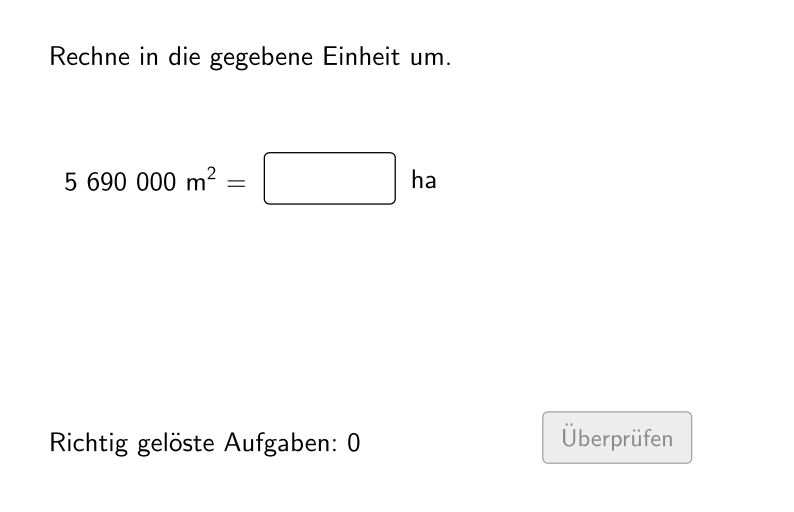
An interactive practice interface for area unit conversion showing randomly generated conversion questions like converting values between square meters, square decimeters, and square centimeters, featuring a numeric input field for users to enter their answer, a validation button that provides immediate feedback indicating whether the response is correct or incorrect, along with display of current attempt count and correct answer count.
The prompt above was compiled from the original drawing commands and is for reference only.