
Area Unit Conversion (Decimals) — Level 1 Practice with Feedback
Loading the math board and drawing, please wait…
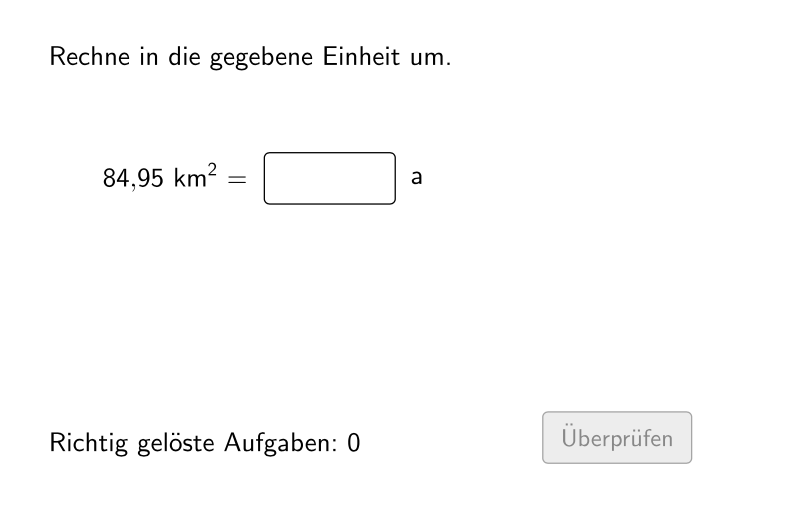
This GeoGebra lesson demonstrates how to convert area units involving decimal numbers, generating practice problems dynamically and providing immediate validation, hints, and solution reveal. The key math concepts are area unit conversion using conversion factors (e.g., between m², dm², cm²), the correct direction of conversion determined by relative unit sizes, and numerical matching with decimal inputs. In the construction, randomization and sequencing are used to create a variable set of questions (Sequence, randomNumbers, randomNumber, questionCount, allowDecimalNumbers, attemptCount/correctCount). Conditional logic determines whether the left unit is smaller and computes the proper factor and its inverse for right-side results (If, unitLeftSmaller, actualUnitRightFactor, actualUnitRightFactorInvers). The UI is built with text and input elements (Textfield, txtQuestion, inputNumber, valueLeft/valueRight) and supports interactive validation and feedback (btnValidate, txtFeedback, showFeedback, showHint, showSolution), including typical-error checking (isTypicalError). Suitable for primary/middle school learners (around grade 5–6) practicing measurement and area conversions.
GeoGebra Commands & Parameters
Sequence(If[¬allowDecimalNumbers, Random[1, 1000], Random[1, 10000] / Element[{10, 100, 1000}, Random[1, 3]]], i, 1, 100) → randomNumbersElement(randomNumbers, Mod[questionCount, Length[randomNumbers]] + 1) → randomNumberSequence(Random[1, Length[numberMatchingUnits]], i, 1, 100) → randomUnitsLeft, {7, 1, 3, 3, 3, 1, 6, 1, 3, 7, 5, 4, 3, 1, 2, 7, 7, 4, 1, 5, 2, 5, 3, 6, 4, 7, 3, 3, 7, 1, 3, 6, 6, 7, 7, 2, 4, 1, 6, 2, 5, 4, 3, 1, 4, 5, 3, 4, 2, 3, 1, 5, 7, 5, 3, 4, 3, 6, 3, 3, 6, 5, 4, 7, 6, 1, 2, 5, 4, 1, 4, 3, 5, 5, 7, 3, 5, 1, 7, 5, 1, 7, 3, 5, 5, 6, 1, 2, 7, 7, 6, 4, 7, 5, 2, 5, 4, 4, 3, 6}Element(randomUnitsLeft, Mod[questionCount, Length[randomUnitsLeft]] + 1) → actualUnitLeftElement(allowedUnits, actualUnitLeft) → actualAllowedUnitsElement(actualAllowedUnits, Random[2, Length[actualAllowedUnits]]) → actualUnitRightInfoElement(actualUnitRightInfo, 1) → actualUnitRightElement(actualUnitRightInfo, 2) → actualUnitRightFactorIf(unitLeftSmaller, round(((randomNumber * actualUnitRightFactor) * 1000)) / 1000, randomNumber) → valueRightTextfield(inputNumber) → inputBox1Defined(inputNumber) → clickableBtnValidateIf(unitLeftSmaller, randomNumber, round(((randomNumber * actualUnitRightFactorInvers) * 1000)) / 1000) → valueLeft
AI Drawing Prompt Reference
Create an interactive area unit conversion practice tool with dynamically generated conversion problems. At the top of the canvas, display the current question number and problem text, such as converting a value from square meters to square decimeters. Below the question, set up two value display areas showing the original value and the converted result. On the right side, place an input field for the user's answer with a validation button below. Upon clicking validate, the system determines whether the conversion direction is correct based on whether the left unit is smaller than the right unit, then calculates the appropriate conversion factor. If the answer is incorrect, the interface shows hint information and the correct answer; if correct, it displays positive feedback. The conversion factors are dynamically determined based on actual unit pairs (such as the 100x relationship between square meters and square decimeters). The practice includes multiple randomly generated questions that can be answered sequentially.
The prompt above was compiled from the original drawing commands and is for reference only.