
Area of Square and Rhombus
Loading the math board and drawing, please wait…
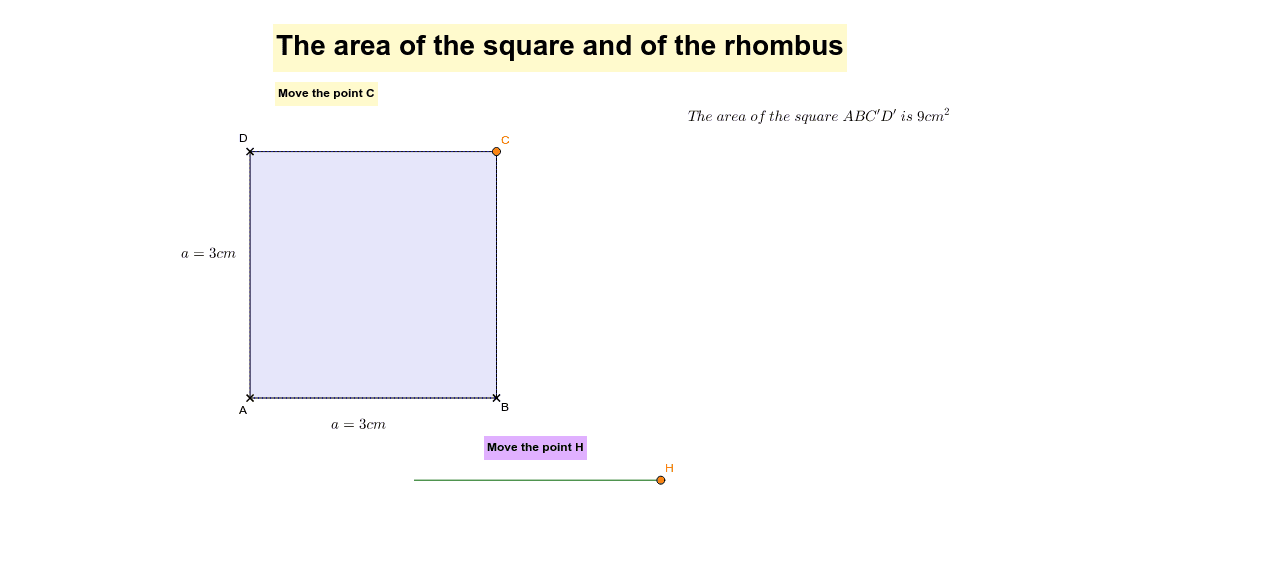
This example demonstrates how to dynamically visualize the area calculation of squares and rhombuses using GeoGebra. It involves core math concepts like area formulas, geometric constructions, and similarity transformations. Key GeoGebra commands used include Circle, Segment, Point, and Polygon to construct shapes and calculate areas intuitively. Suitable for middle school students and above learning geometric area calculations and GeoGebra operations.
GeoGebra Commands & Parameters
Circle(B, r) → cSegment(A, B) → aPoint(c) → C_1Point(c) → D_1CircleArc(B, C_1, D_1) → dPoint(d) → CLine(C, a) → bSegment(B, C) → eLine(A, e) → fIntersect(b, f) → DSegment(D, C) → gSegment(D, A) → hOrthogonalLine(D, a) → iIntersect(i, a) → PSegment(P, D) → vPolygon(A, B, C', D') → poly1, a_1, b_1, e_1, f_1Intersect(g, b_1) → EPolygon(B, C, E) → poly2, e_2, b_2, c_1Line(F, a) → jVector(C, D) → wSegment(F, G) → kPoint(k) → HVector(F, H) → zTranslate(B, z) → UTranslate(C, z) → VTranslate(E, z) → WPolygon(U, V, W) → poly2', e', b', c'_1Polygon(A, B, E, D) → poly3, a_2, b_3, e_3, d_1Polygon(A, B, C, D) → poly4, a_3, b_4, c_2, d_2
AI Drawing Prompt Reference
Draw a square and a rhombus to demonstrate area calculations. Start with a circle, then take two points on the circle and connect them to the center to form a square. Construct a rhombus using arcs and line segments, and mark the intersection point of the diagonals. Calculate and display the areas of both shapes, showing the relationship through similarity transformations.
The prompt above was compiled from the original drawing commands and is for reference only.