
Area of a Trapezoid (Triangle Method) Dynamic Demo
Loading the math board and drawing, please wait…
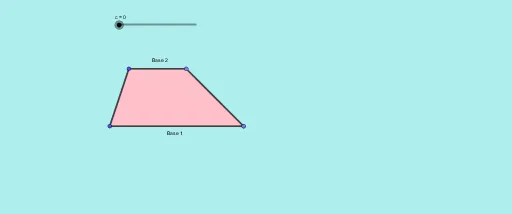
① This example dynamically demonstrates the derivation of the trapezoid area formula by decomposing or rotating the trapezoid into triangles, visually showing the relationship between area, bases, and height. ② Core mathematical concepts include trapezoid area, triangle area, congruence transformations (rotation, translation), and the use of linear functions and slopes in auxiliary constructions. ③ Construction highlights: using GeoGebra commands such as Line, Ray, Point, Segment, Slope, PointIn, Midpoint, Dilate, Polygon, Rotate, OrthogonalLine, Intersect, and Angle to build the trapezoid, its diagonals, midpoints, perpendiculars, and to generate congruent triangles via rotation and scaling; the Slope tool marks gradients to support understanding of area and linear functions. ④ Suitable for middle and high school geometry classes, especially grades 8–10, for learning area formula derivation, geometric transformations, and dynamic exploration.
GeoGebra Commands & Parameters
Line(A, B) → fRay(A, B) → gPoint(g) → CRay(A, C) → hSegment(A, C) → iSlope(i) → mPointIn(a) → DLine(D, i) → jPoint(j) → ERay(D, E) → kPoint(k) → FMidpoint(F, C) → HSegment(F, H) → tSegment(H, C) → eDilate(D, If[0 < c ≤ 1, 1 - c, 0], H) → D''Segment(D, D'') → g_1Polygon(D, H, F) → t1, f_1, d, h_1Rotate(D, If[1 ≤ c < 2, ((1 - c) * π), π], H) → D'Rotate(H, If[1 ≤ c < 2, ((1 - c) * π), π], H) → H'Rotate(F, If[1 ≤ c < 2, ((1 - c) * π), π], H) → F'Polygon(D', H', F') → t1', f', d', h'Segment(H, F') → lSegment(H, D') → nSegment(F, C) → pPolygon(A, C, H, D) → q1, a_1, c_1, h_2, d_1OrthogonalLine(D, i) → qIntersect(q, i) → GDilate(D, If[0 < c ≤ 1, 1 - c, 0], G) → D'''Segment(D, D''') → rAngle(C, G, D) → α
AI Drawing Prompt Reference
Create a dynamic illustration showing how to derive the area formula for a trapezoid by decomposing or rotating it into triangles. Start by drawing a trapezoid, then find the midpoint and perpendicular of one of its sides. Generate two congruent triangles using rotation and scaling, and display their areas and heights. Use a slider to dynamically adjust the trapezoid's shape and the triangles' positions, emphasizing geometric transformations and linear functions.
The prompt above was compiled from the original drawing commands and is for reference only.