
Area Between Two Lines (with Integral and Linear Programming)
Loading the math board and drawing, please wait…
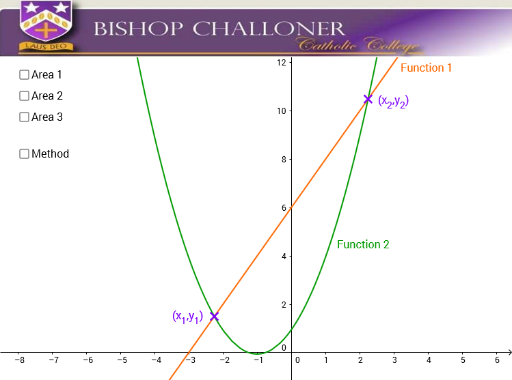
This GeoGebra example demonstrates how to compute the area enclosed between two straight lines, visually connecting geometry with integral calculus. The core mathematical concepts include definite integrals, linear functions, area between curves, and the feasible region in linear programming, since the strip between two lines often represents constraints. Construction highlights: the Intersect command finds the intersection points of the two lines, IntegralBetween computes the definite integral of the difference of the two functions, and Integral is used to shade the region; objects include functions f and g, points A and B, auxiliary segments, text, and images. Suitable for high school or early college students learning the geometric meaning of definite integrals, area calculation for line-bounded regions, and the role of boundaries in linear optimization.
GeoGebra Commands & Parameters
Intersect(f, g, 1) → AIntersect(f, g, 2) → BIntersect(f, g, 1) → CIntersect(f, g, 1) → DIntegralBetween((x * x) + (2 * x) + 1, (2 * x) + 6, x(A), x(B)) → aIntegral((2 * x) + 6, x(A), x(B)) → bIntegral((x * x) + (2 * x) + 1, x(A), x(B)) → e