
Area and Perimeter Exploration of Triangles
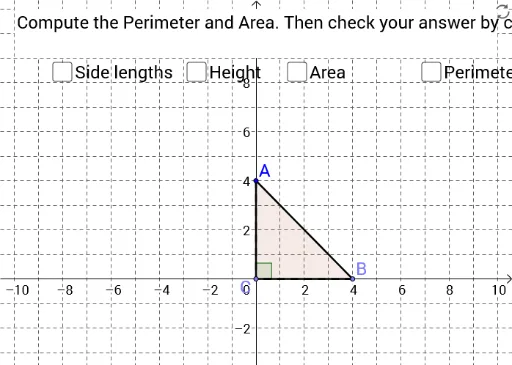
Loading the math board and drawing, please wait…
This example demonstrates how to construct and explore the area and perimeter of triangles using GeoGebra. Key mathematical concepts include properties of triangles, angles, and geometric construction. By using commands like Point, Polygon, OrthogonalLine, users can dynamically adjust the shape of the triangle and observe changes in area and perimeter. Suitable for middle school and above students and teachers.
GeoGebra Commands & Parameters
Point(a) → CPoint(a) → BPolygon(C, B, A) → poly1, c, a_1, bOrthogonalLine(A, a) → dIntersect(a, d) → DAngle(A, D, C) → αSegment(A, D) → eSegment(B, D) → fSegment(D, C) → gAngle(B, D, A) → βSegment(A, C) → iSegment(C, B) → jSegment(B, A) → kSegment(A, D) → lPerimeter(poly1) → oArea(poly1) → areaPolygon(E, F, G, H) → poly2, e_1, f_1, g_1, h_1
AI Drawing Prompt Reference
Draw a triangle ABC by creating points A and B, then add point C. Use these three points to create a triangle and measure its perimeter and area. Then, create a line perpendicular to the given line a through point A, which intersects line a at point D. Measure the angles at A, B, and C, as well as the lengths of the three sides of the triangle. Finally, create a quadrilateral through points A, B, and C.
The prompt above was compiled from the original drawing commands and is for reference only.