
Approximating a Definite Integral
Loading the math board and drawing, please wait…
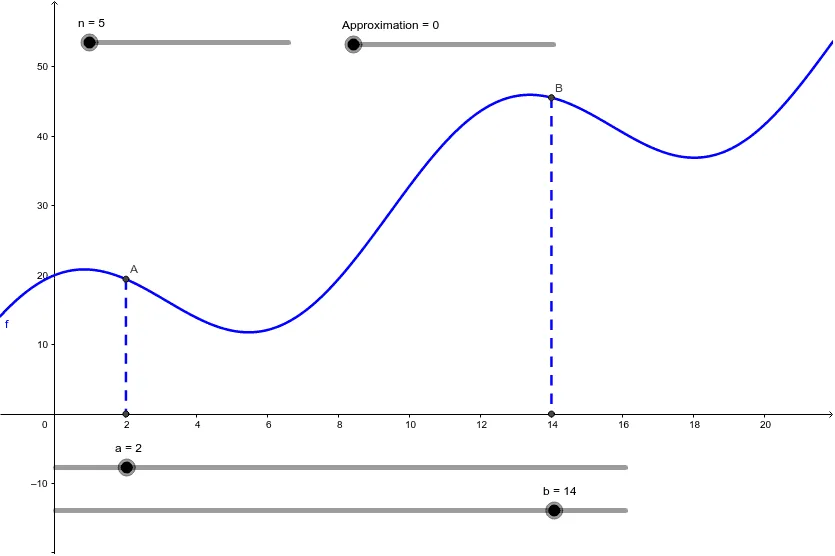
This example demonstrates how to approximate a definite integral using methods such as rectangles, trapezoids, and partitioning intervals. It involves key mathematical concepts like definite integrals, partitioning, and trapezoidal and rectangular sums. Using GeoGebra commands like Intersect, Segment, LowerSum, and UpperSum, it provides a visual understanding of the integral concept. Suitable for high school mathematics education and learning calculus.
GeoGebra Commands & Parameters
Intersect(f, c) → AIntersect(f, d) → BIntersect(c, xAxis) → CIntersect(d, xAxis) → DSegment(A, C) → eSegment(B, D) → gLowerSum(f, a, b, n) → LowerSumUpperSum(f, a, b, n) → UpperSumIntegral(f, a, b) → ExactAreaTrapezoidalSum(f, a, b, n) → TrapezoidalSumRectangleSum(f, a, b, n, 0) → LRAMRectangleSum(f, a, b, n, 1) → RRAMRectangleSum(f, a, b, n, 0.5) → MRAM
AI Drawing Prompt Reference
Draw a function curve and two vertical dashed lines that intersect the curve at two points and extend down to the x-axis, creating two intersection points on the axis. Connect each curve intersection to its corresponding x-axis point with a line segment, forming a closed boundary. Within the interval, show multiple equal-width rectangles approximating the area from below and above the curve, labeled as lower and upper sums. Also display trapezoidal strips approximating the curve, and three rectangle sums using left endpoints, right endpoints, and midpoints. Finally, fill the exact area under the curve between the two vertical lines with a semi-transparent color to contrast with the approximations.
The prompt above was compiled from the original drawing commands and is for reference only.