
Animation Demonstrating Lines and Points
Loading the math board and drawing, please wait…
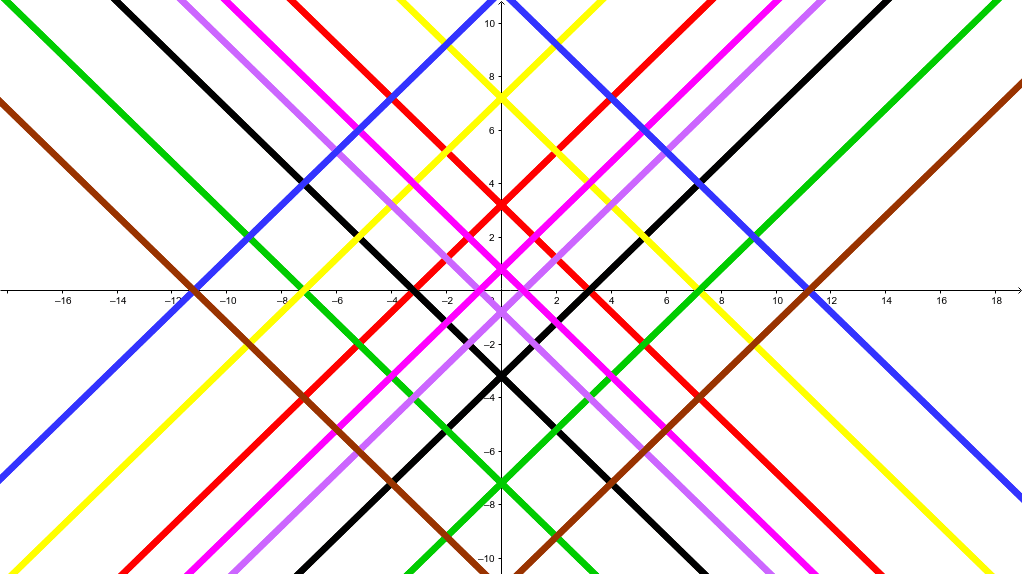
This example demonstrates the dynamic behavior of points on the lines y=x and y=-x through animation. Key mathematical concepts include coordinate geometry, symmetry, and parameter control via sliders. The construction utilizes GeoGebra commands like OrthogonalLine and objects such as a, b, c, A, B, C, D, etc. It is suitable for high school students to explore linear equations, symmetry, and parameter variations.
GeoGebra Commands & Parameters
OrthogonalLine(A, a) → dOrthogonalLine(D, b) → eOrthogonalLine(B, b) → fOrthogonalLine(C, a) → gOrthogonalLine(E, a) → hOrthogonalLine(F, b) → iOrthogonalLine(H, a) → jOrthogonalLine(G, b) → kOrthogonalLine(I, a) → lOrthogonalLine(J, b) → mOrthogonalLine(K, b) → nOrthogonalLine(L, a) → pOrthogonalLine(M, a) → qOrthogonalLine(N, b) → rOrthogonalLine(O, b) → sOrthogonalLine(P, a) → t
AI Drawing Prompt Reference
Draw two perpendicular lines y=x and y=-x, and show points moving dynamically along these lines controlled by sliders, while drawing perpendicular bisectors of the segments connecting these points to the origin to explore symmetry, suitable for studying coordinate geometry, symmetry, and parameter variations.
The prompt above was compiled from the original drawing commands and is for reference only.