
Angles of Right Triangles
Loading the math board and drawing, please wait…
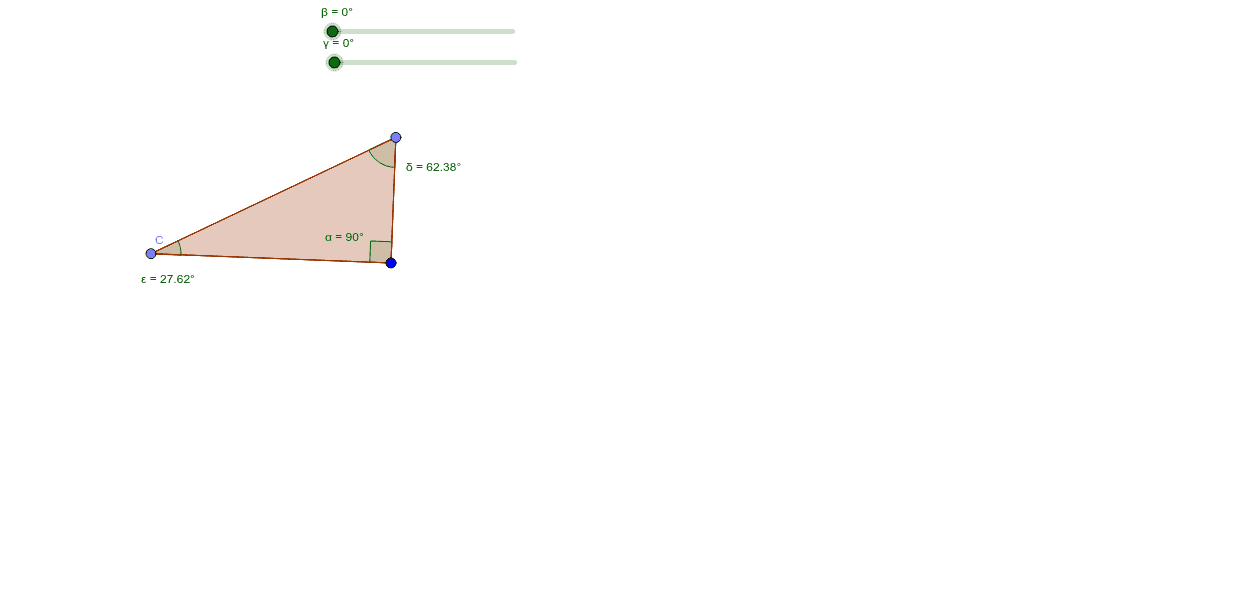
This example demonstrates the angles of right triangles. Key mathematical concepts include the properties of right triangles and angle relationships. Using GeoGebra commands such as Rotate, Angle, Ray, Point, and Polygon, you can construct right triangles and observe changes in their angles. Suitable for middle and high school students learning trigonometry and geometric construction.
GeoGebra Commands & Parameters
Rotate(A, 90*°, B) → A'Angle(A, B, A') → αRay(B, A') → fRay(B, A) → gPoint(f) → CPoint(g) → DPolygon(C, B, D) → poly1, d, c, bMidpoint(C, B) → EMidpoint(B, D) → FRotate(C, (-β), E) → C'Rotate(B, (-β), E) → B'Rotate(D, (-β), E) → D'Polygon(C', B', D') → poly1', d', c', b'Rotate(C, γ, F) → C'_1Rotate(B, γ, F) → B'_1Rotate(D, γ, F) → D'_1Polygon(C'_1, B'_1, D'_1) → poly1'_1, d'_1, c'_1, b'_1Angle(C'_1, D'_1, B'_1) → δAngle(B', C', D') → ε
AI Drawing Prompt Reference
Construct a right triangle by rotating one side 90 degrees around a vertex to form the right angle. Place points on the two rays from the vertex to define the triangle. Find the midpoints of the two legs, then rotate the entire triangle around each midpoint by a certain angle to create two transformed triangles. Finally, mark two angles in the rotated triangles to illustrate the angle relationships.
The prompt above was compiled from the original drawing commands and is for reference only.