
Angle Construction and Properties Exploration
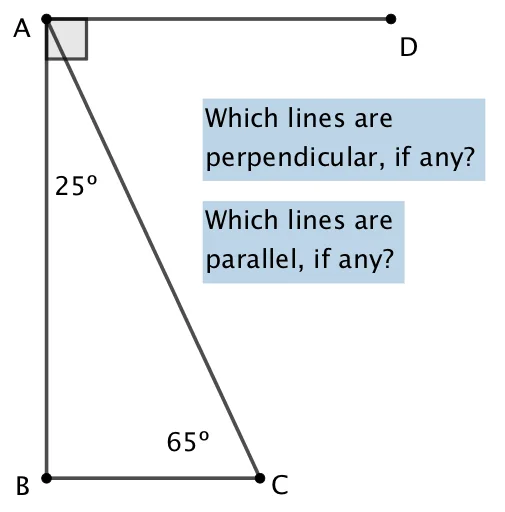
Loading the math board and drawing, please wait…
In collections
Angles
This GeoGebra example demonstrates dynamic angle construction and property exploration using fundamental geometric commands. It constructs interactive angle figures through point placement, intersection detection, segment creation, and angle measurement. Core mathematical concepts include angle definition, vertex-arm relationships, angle measurement, and their behavior in triangles and intersecting lines. The construction employs GeoGebra commands such as Point, Intersect, Segment, and Angle, along with associated objects to model geometric relationships. Suitable for middle and high school geometry education, it helps students visualize angle variability and apply angle properties in planar geometry contexts.
GeoGebra Commands & Parameters
Point(yAxis) → AIntersect(xAxis, yAxis) → BSegment(A, B) → fSegment(C, A) → gAngle(xAxis, g) → αPoint(xAxis) → DPoint(xAxis) → ESegment(D, E) → h
AI Drawing Prompt Reference
Draw an angle by first taking point A on the y-axis, then taking point B at the intersection of the x-axis and y-axis, and connecting A and B to form line segment f. Next, take point C on the x-axis and connect C and A to form line segment g, then measure the angle between the x-axis and g, labeled as α. Finally, take points D and E on the x-axis and connect D and E to form line segment h.
The prompt above was compiled from the original drawing commands and is for reference only.