
Addition Strikes
Loading the math board and drawing, please wait…
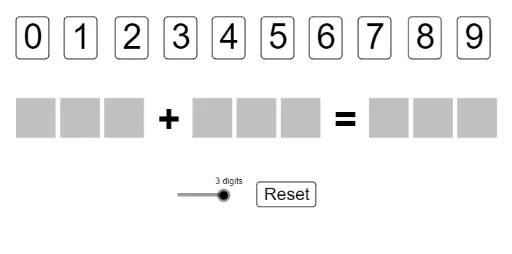
This example demonstrates the graphical phenomenon of generating addition operations through random numbers and judging the results, involving core mathematical concepts such as conditional probability, mode, linear regression, and interest calculation. It is constructed using commands and objects like If, Random, Unique, Intersection, Remove, Zip, Text, Sequence from GeoGebra, suitable for high school students learning probability statistics, data analysis, and mathematical modeling.
GeoGebra Commands & Parameters
If(limit ≟ 0, Random[10, 99], Random[100, 999]) → sumRandom(0, sum) → addend1If(limit ≟ 0, {Div[addend1, 10], Mod[addend1, 10]}, {Div[addend1, 100], Div[addend1 - (100 * Div[addend1, 100]), 10], Mod[addend1, 10]}) → addend1digitsIf(limit ≟ 0, {Div[addend2, 10], Mod[addend2, 10]}, {Div[addend2, 100], Div[addend2 - (100 * Div[addend2, 100]), 10], Mod[addend2, 10]}) → addend2digitsIf(limit ≟ 0, {Div[sum, 10], Mod[sum, 10]}, {Div[sum, 100], Div[sum - (100 * Div[sum, 100]), 10], Mod[sum, 10]}) → sumDigitsUnique(Join[{addend1digits, addend2digits, sumDigits}]) → allDigitsIntersection(clicked, allDigits) → rightRemove(clicked, right) → wrongZip(Text[AAA, BBB], AAA, {0, 1, 2, 3, 4, 5, 6, 7, 8, 9}, BBB, Sequence[Point[{i + 0.15, -0.05}], i, 0, 10, 10 / 9]) → L_1Zip(Element[L_1, IndexOf[BBB, helper]], BBB, right) → greenZip(Element[L_1, IndexOf[BBB, helper]], BBB, wrong) → redText(addend1digits(1), (0, -2) + textMover) → digit1Text(addend1digits(2), (1, -2) + textMover) → digit2Text(addend1digits(3), (2, -2) + textMover) → digit3Text(addend2digits(1), (4, -2) + textMover) → digit4Text(addend2digits(2), (5, -2) + textMover) → digit5Text(addend2digits(3), (6, -2) + textMover) → digit6Text(sumDigits(1), (8, -2) + textMover) → digit7Text(sumDigits(2), (9, -2) + textMover) → digit8Text(sumDigits(3), (10, -2) + textMover) → digit9Sequence(Polygon[(i, -2), (i + 0.9, -2), 4], i, 0, limit + 1) → polyBackers1Sequence(Polygon[(i, -2), (i + 0.9, -2), 4], i, 4, limit + 5) → polyBackers2Sequence(Polygon[(i, -2), (i + 0.9, -2), 4], i, 8, limit + 9) → polyBackers3Text("+", (2.55 + (0.5 * limit), -2) + textMover) → plusSignText("=", (6.55 + (0.5 * limit), -2) + textMover) → equalsSign
AI Drawing Prompt Reference
Create a mathematical illustration showing the result and verification of random number addition. Include three randomly generated numbers as addends and their sum, broken down into individual digits. Highlight the digits the user clicks on in different colors to indicate correctness, and display each digit with text. Decorate the background with small squares and label the plus and equals signs. Draw the numbers and symbols first, then highlight the correct digits based on user clicks, and finally add the background decoration.
The prompt above was compiled from the original drawing commands and is for reference only.