
Adding Integers Bunny Demo
Loading the math board and drawing, please wait…
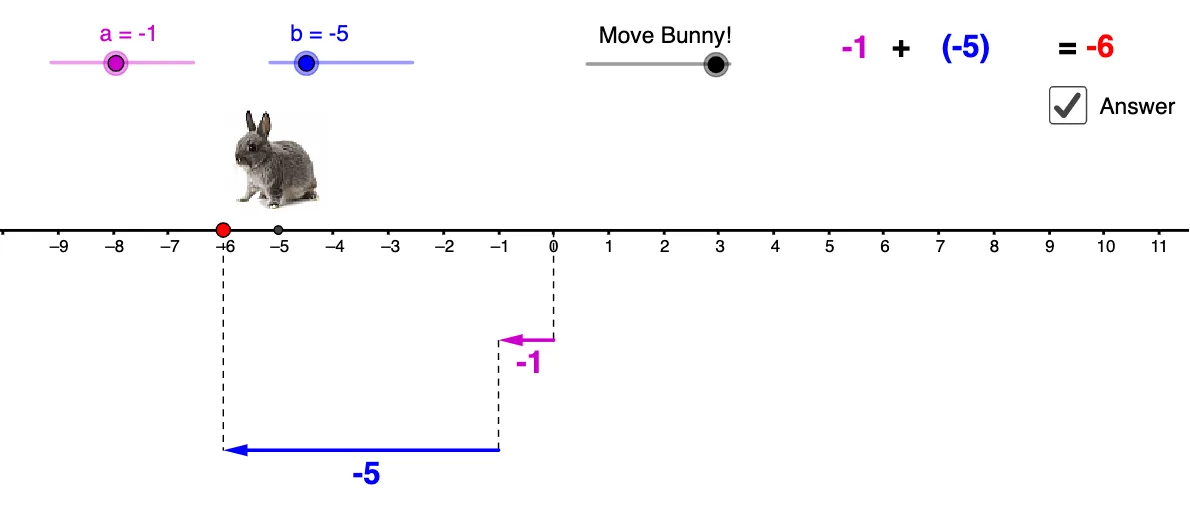
This example visually demonstrates integer addition on a number line using arrows and an animated bunny. It covers core math concepts like integer operations, number line representation, vector direction and magnitude. Construction involves GeoGebra commands like Vector, Segment, and If, with objects such as a, b, u, v, A, B. Suitable for middle school mathematics education to help students grasp the abstract process of integer addition.
GeoGebra Commands & Parameters
Vector((0, -2), (a, -2)) → uVector((a, -4.000000000000001), (a + b, -4.000000000000001)) → vSegment(A, (a + b, -4.000000000000001)) → cSegment((a, -2), (a, -4.000000000000001)) → dSegment((0, 0), (0, -2)) → eIf(f < 1, ((f * a), 0), (a, 0) + ((f - 1) * (b, 0))) → D
AI Drawing Prompt Reference
Draw a number line with the origin on the left. From the origin, draw a vertical segment downward, then a horizontal segment to the right representing the first integer. From the end of that horizontal segment, draw another vertical segment downward, then a second horizontal segment to the right representing the second integer. Label both horizontal segments with arrows indicating direction and length proportional to the integer values. Place a bunny above the number line that hops from the origin rightward, first by the distance of the first integer, then by the distance of the second integer, ending at the sum. Connect the bunny's start and end points with a dashed line, and annotate the movement steps.
The prompt above was compiled from the original drawing commands and is for reference only.