
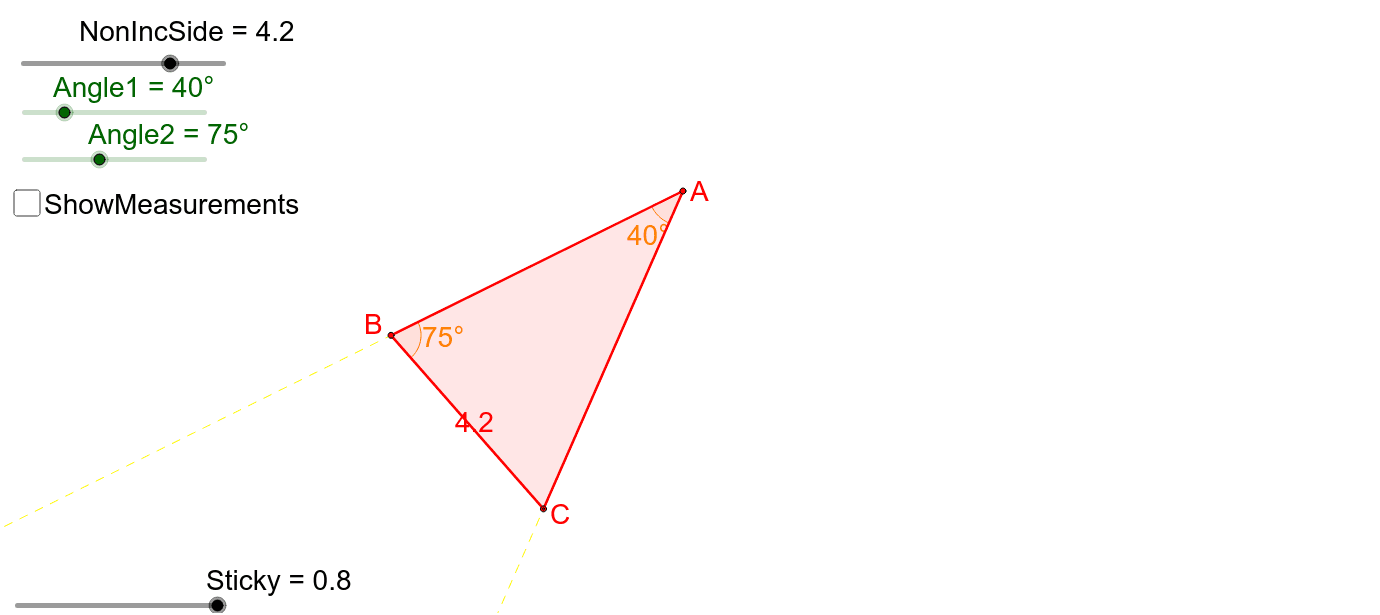
AAS Triangle Congruence Demonstration
Loading the math board and drawing, please wait…
In collections
Triangle Congruence
This example demonstrates the AAS (Angle-Angle-Side) condition for triangle congruence. It involves core mathematical concepts such as triangle congruence criteria, angle and side measurements, and dynamic geometric transformations. The construction utilizes GeoGebra commands and objects like Ray, Circle, Intersect, Point, DynamicCoordinates, Rotate, Angle, Segment, and If. It is suitable for high school mathematics education to visually illustrate and verify the application of the AAS congruence condition.
GeoGebra Commands & Parameters
Ray(A, A_2) → aCircle(A, Side3) → cIntersect(c, a, 1) → B_2Point(a) → InvBDynamicCoordinates(InvB, If[Distance[B_2, InvB] < Sticky, x(B_2), x(InvB)], If[Distance[B_2, InvB] < Sticky, y(B_2), y(InvB)]) → BRotate(A, Angle1, A) → C_1Rotate(A_2, Angle1, A) → A'Ray(C_1, A') → a'Circle(A, Side2) → dIntersect(d, a', 1) → C_2Point(a') → InvCDynamicCoordinates(InvC, If[Distance[C_2, InvC] < Sticky, x(C_2), x(InvC)], If[Distance[C_2, InvC] < Sticky, y(C_2), y(InvC)]) → CCircle(B, NonIncSide) → eAngle(B, A, C) → αSegment(A, B) → fSegment(A, C) → gPoint(f) → DRotate(D, (-Angle2), B) → D'Ray(B, D') → bCircle(B, NonIncSide) → hIntersect(h, b, 1) → C_1''Segment(B, C_1'') → iAngle(C_1'', B, A) → βIf(Distance[C, C_1''] < 0.2, Polygon[A, B_2, C_2]) → poly1