
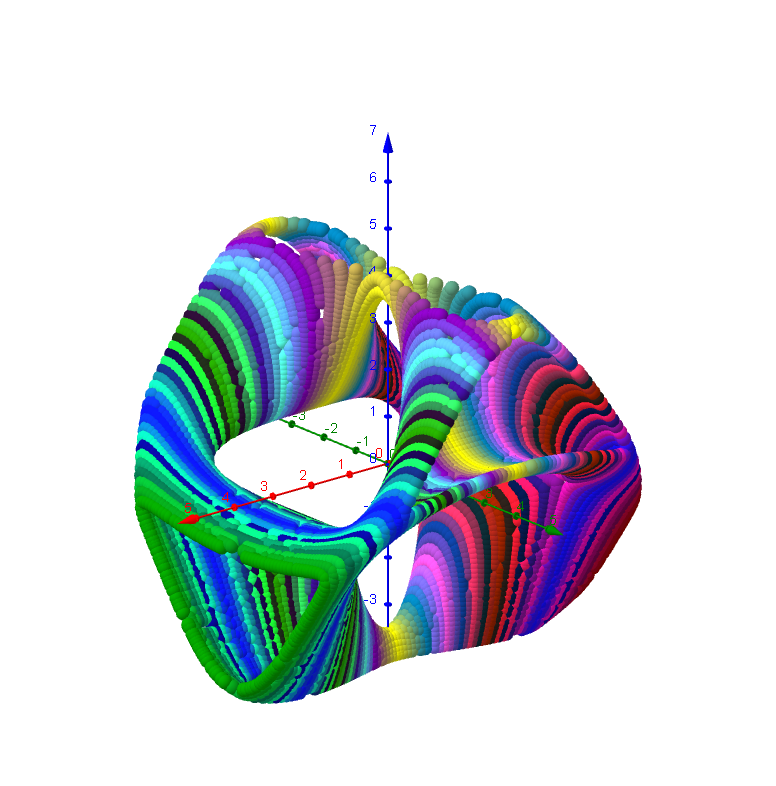
3D Implicit Surface Grapher: Chair Surface
Loading the math board and drawing, please wait…
This example demonstrates the graphing of a 3D implicit surface, specifically a chair surface. It involves core mathematical concepts such as implicit functions and polynomial functions. Using GeoGebra commands like Textfield, button, and inputBox, complex 3D surfaces can be constructed. Suitable for high school and above students or teachers for teaching or researching 3D geometric shapes.
GeoGebra Commands & Parameters
Textfield(x_{min}) → Textfeld1Textfield(y_{min}) → Textfeld2Textfield(z_{min}) → Textfeld3Textfield(x_{max}) → Textfeld4Textfield(y_{max}) → Textfeld5Textfield(z_{max}) → Textfeld6Textfield(Nn) → Textfeld10Textfield(g) → Textfeld13Textfield(b) → inputBox1
AI Drawing Prompt Reference
Create a 3D implicit surface graph of a chair surface to demonstrate core mathematical concepts like implicit functions and polynomial functions. Users should input the minimum and maximum values for x, y, and z to define the display range, set the grid density and function parameters to construct a complex chair-shaped surface, suitable for high school students and teachers for teaching or researching 3D geometry.
The prompt above was compiled from the original drawing commands and is for reference only.