
11A-3D
Loading the math board and drawing, please wait…
In collections
Geometry of Angles (Student Created)
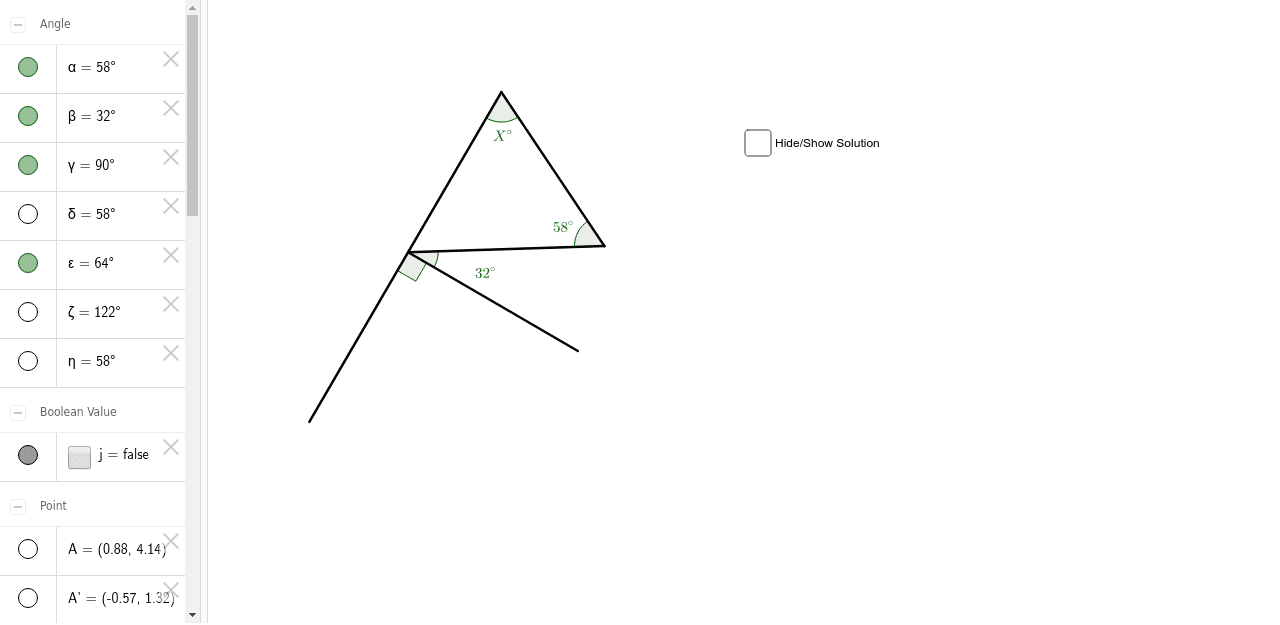
This example demonstrates the process of constructing geometric shapes through rotation and angles. Key mathematical concepts include angles, segments, and intersection points. It uses commands such as Rotate, Angle, Segment, and Intersect in GeoGebra. Suitable for high school students learning solid geometry and geometric construction.
GeoGebra Commands & Parameters
Rotate(A, 58*°, B) → A'Angle(A, B, A') → αRotate(B, -32*°, A') → B'Angle(B', A', B) → βRotate(B', -90*°, A') → B''Angle(B'', A', B') → γRotate(B, 58*°, A') → B'_1Angle(B, A', B'_1) → δSegment(A, B) → aSegment(A, A') → bSegment(B'_1, A') → cIntersect(a, c) → CSegment(C, B'') → dSegment(C, B) → eSegment(B, A') → fSegment(A', B') → gAngle(B'', C, B) → εSegment(C, A') → hSegment(A', B'') → iAngle(B'', A', B) → ζAngle(B, A', C) → η
AI Drawing Prompt Reference
Draw a geometric shape constructed through rotations and angles. Rotate a point around another by 58 degrees to get a new point, measure the angle between the original point and the two points. Then, rotate the second point around the first new point by -32 degrees to get another new point, and measure the angle. Continue rotating the new point around the first new point by -90 degrees, and measure the angle. Rotate the original point around the first new point by 58 degrees to get another point, and measure the angle. Connect these points to form segments, and find the intersection point of the segments. Finally, measure multiple angles to show the relationships between them.
The prompt above was compiled from the original drawing commands and is for reference only.