
基于向量的几何平移变换:圆与多边形的动态演示
几何画板及绘图内容加载中,请稍等……
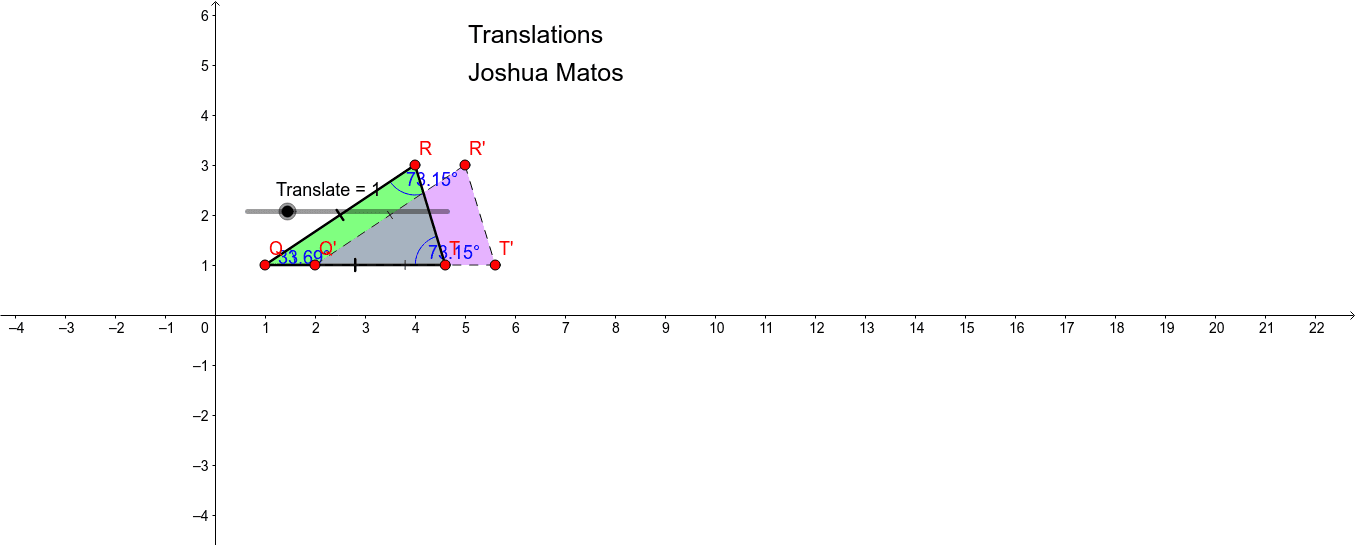
本范例演示了几何图形在向量作用下的平移变换现象。涉及的核心数学概念包括向量、平移变换、圆、多边形及角度关系。作图要点在于利用 GeoGebra 命令 Circle、Point、Polygon、Vector 和 Translate 构建初始对象 Q、R、c、T 及其平移后的对应点 Q'、R'、T' 与图形 poly1'。该工具适合中学阶段学生学习平面几何变换或向量运算的直观理解。
GeoGebra 命令及参数
Circle(Q, R) → cPoint(c) → TPolygon(R, T, Q) → poly1, q, r, tAngle(R, Q, T) → αAngle(Q, R, T) → βAngle(R, T, Q) → γVector(Q, Q + (1, 0)) → uTranslate(R, Vector[(u * Translate)]) → R'Translate(T, Vector[(u * Translate)]) → T'Translate(Q, Vector[(u * Translate)]) → Q'Polygon(R', T', Q') → poly1', q', r', t'