
混乱的任务
几何画板及绘图内容加载中,请稍等……
所属专题
Bruch als Division
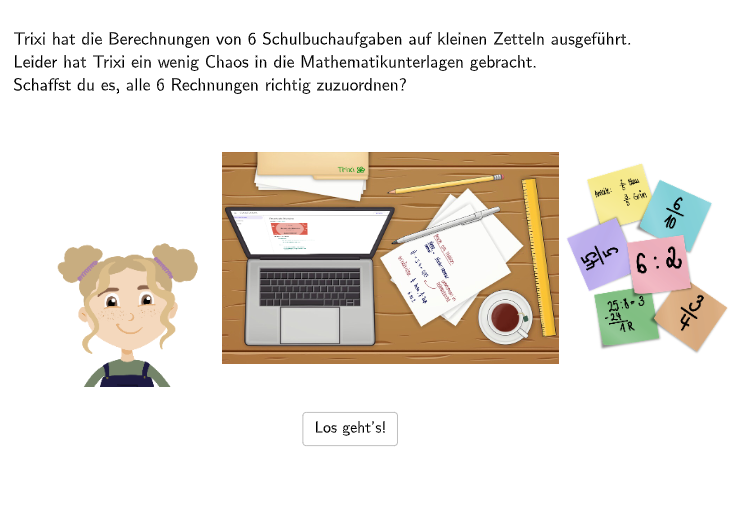
这是一份 GeoGebra 范例,展示了如何使用 GeoGebra 来创建一个混乱的任务。任务中包含了多个选项卡和滑块,学生需要通过选择正确的选项来解决问题。这个范例涉及的核心数学概念包括分数运算和识别分数的意义。作图要点包括使用 Shuffle、Sequence、Element 和 IndexOf 等 GeoGebra 命令来创建动态的任务内容。这个范例适合中小学 5-6 年级学生使用,特别是那些需要练习分数运算和识别分数意义的学生。
GeoGebra 命令及参数
Shuffle(Sequence[Random[1, 3], i, 1, 100]) → randomNosPositionAnswerCorrect1, {2, 2, 3, 1, 3, 3, 2, 2, 1, 1, 1, 1, 1, 2, 1, 2, 3, 3, 3, 3, 2, 2, 3, 2, 3, 3, 3, 3, 3, 1, 3, 2, 2, 1, 3, 3, 1, 2, 1, 2, 2, 2, 1, 1, 2, 1, 2, 3, 2, 3, 2, 3, 3, 1, 3, 2, 1, 3, 3, 1, 1, 3, 1, 3, 1, 1, 2, 1, 3, 2, 2, 1, 1, 1, 1, 1, 1, 2, 3, 1, 2, 3, 3, 2, 3, 1, 1, 2, 1, 2, 1, 3, 3, 3, 1, 1, 1, 2, 3, 2}Sequence(RandomElement[Remove[Sequence[3], {randomNosPositionAnswerCorrect1(i)}]], i, 1, 100) → randomNosPositionAnswerWrong1, {1, 1, 1, 3, 2, 2, 3, 3, 2, 3, 3, 3, 2, 3, 3, 3, 1, 1, 1, 2, 1, 1, 2, 1, 1, 2, 2, 2, 2, 3, 1, 1, 1, 3, 1, 1, 3, 3, 2, 3, 1, 3, 3, 2, 3, 3, 1, 2, 1, 1, 1, 1, 1, 2, 2, 3, 3, 2, 1, 3, 2, 1, 3, 1, 2, 2, 3, 3, 2, 3, 1, 2, 3, 3, 2, 2, 2, 3, 1, 2, 3, 1, 1, 3, 1, 2, 2, 3, 3, 1, 2, 2, 2, 1, 3, 2, 3, 1, 2, 3}Element(randomNosPositionAnswerCorrect1, Mod[questionCount, 100] + 1) → numPositionAnswerCorrect1Shuffle({1, 2, 3, 4, 5, 6}) → NosCase, {2, 6, 4, 1, 5, 3}Element(randomNosPositionAnswerWrong1, Mod[questionCount, 100] + 1) → numPositionAnswerWrong1IndexOf(true, checkboxes) → SelectedCheckboxPoint(Line[F11, Vector[(0, 0), (0, -1.2)]]) → F21Textfield(aInput) → InputBox1Textfield(bInput) → InputBox2If(numPositionAnswerCorrect1 ≟ 1 ∧ checkbox1 ≟ true, true, false) → c1If(numPositionAnswerCorrect1 ≟ 2 ∧ checkbox2 ≟ true, true, false) → c2If(numPositionAnswerCorrect1 ≟ 3 ∧ checkbox3 ≟ true, true, false) → c3Sequence(RandomElement[Remove[Remove[Sequence[3], {randomNosPositionAnswerCorrect1(i)}], {randomNosPositionAnswerWrong1(i)}]], i, 1, 100) → randomNosPositionAnswerWrong2, {3, 3, 2, 2, 1, 1, 1, 1, 3, 2, 2, 2, 3, 1, 2, 1, 2, 2, 2, 1, 3, 3, 1, 3, 2, 1, 1, 1, 1, 2, 2, 3, 3, 2, 2, 2, 2, 1, 3, 1, 3, 1, 2, 3, 1, 2, 3, 1, 3, 2, 3, 2, 2, 3, 1, 1, 2, 1, 2, 2, 3, 2, 2, 2, 3, 3, 1, 2, 1, 1, 3, 3, 2, 2, 3, 3, 3, 1, 2, 3, 1, 2, 2, 1, 2, 3, 3, 1, 2, 3, 3, 1, 1, 2, 2, 3, 2, 3, 1, 1}Element(randomNosPositionAnswerWrong2, Mod[questionCount, 100] + 1) → numPositionAnswerWrong2Polygon({PtopLeftCornerFeedback, (x(PbottomRightFeedback), y(PtopLeftCornerFeedback)), PbottomRightFeedback, (x(PtopLeftCornerFeedback), y(PbottomRightFeedback))}) → rectangleCorrectPolygon({PtopLeftCornerFeedback1, (x(PbottomRightFeedback1), y(PtopLeftCornerFeedback1)), PbottomRightFeedback1, (x(PtopLeftCornerFeedback1), y(PbottomRightFeedback1))}) → rectangleCorrect1Polygon({PtopLeftCornerFeedback2, (x(PbottomRightFeedback2), y(PtopLeftCornerFeedback2)), PbottomRightFeedback2, (x(PtopLeftCornerFeedback2), y(PbottomRightFeedback2))}) → rectangleCorrect2
AI 绘图提示语参考
在坐标平面中绘制一条从某点出发向下的直线,并取该直线与端点确定一个基准点。围绕屏幕中两个角点,绘制一个矩形:用左上角点与右下角点作为对角顶点,再构造出其余两顶点并连成封闭的多边形。再复制同样结构,另外再绘制两个矩形,各自由各自的左上角点与右下角点确定,对应顶点用坐标连接成封闭四边形。
以上提示语为根据原始绘图命令整理而来,仅供参考。