
统计概率与几何作图示例
几何画板及绘图内容加载中,请稍等……
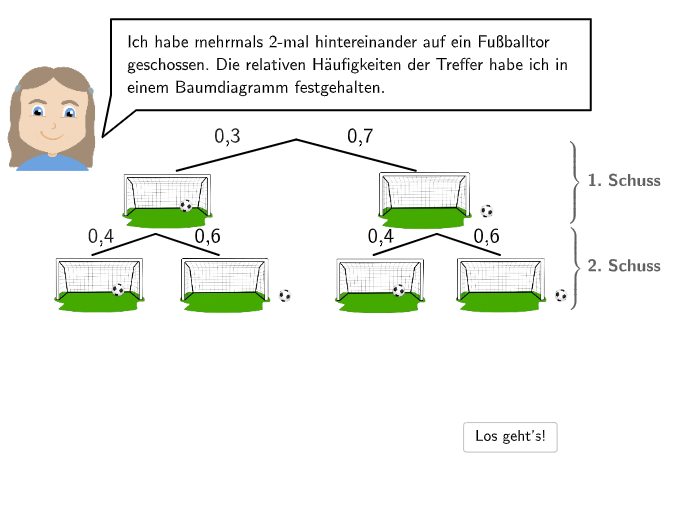
本范例演示了通过树状图分析贴纸选择概率的计算方法。涉及的核心数学概念包括概率统计、相对频率和几何作图。作图要点包括使用GeoGebra命令如SpeechBubbleLeft、Segment、Line等构建树状图,以及通过Midpoint、If等命令进行标记和计算。适合小学5-6年级学生用于统计概率和几何作图教学。
GeoGebra 命令及参数
SpeechBubbleLeft(PBubbleMichael, 10.8, 1.8) → bubble1SpeechBubbleLeft(PBubbleMichael, 7.5, 1.2) → bubble2SpeechBubbleLeft(PBubbleMichael + (0.1, 0.2), 10.5, 1.9) → bubble3Segment(A, B) → fLine(PspiegleOben, PspiegleInten) → spiegelMirror(A, spiegel) → A'Mirror(B, spiegel) → B'Segment(A', B') → f'Mirror(Ppic1L, spiegel) → Ppic1L'Mirror(Ppic1R, spiegel) → Ppic1R'Mirror(Ppic1L, spiegel) → Ppic1L'_{1}Mirror(E, spiegel) → E'Mirror(Ppic1R, spiegel) → Ppic1R'_{1}Mirror(F, spiegel) → F'Mirror(Ppic2L, spiegel) → Ppic2L'Mirror(Ppic2R, spiegel) → Ppic2R'Mirror(Ppic3L, spiegel) → Ppic3L'Mirror(Ppic3R, spiegel) → Ppic3R'Textfield(input1) → InputBox1Textfield(input2) → InputBox2Textfield(input3) → InputBox3Textfield(input4) → InputBox4Textfield(input5) → InputBox5Textfield(input6) → InputBox6Midpoint(A, B) → CMirror(C, spiegel) → C'Midpoint(E, Ppic1L) → DMidpoint(Ppic1R, F) → GMirror(D, spiegel) → D'Mirror(G, spiegel) → G'If(input7 ≟ 0.6, input8 ≟ 0.3, If[input7 ≟ 0.3, input8 ≟ 0.6]) → c9If(input9 ≟ 0.4, input10 ≟ 0.7, If[input9 ≟ 0.7, input10 ≟ 0.4]) → c11SpeechBubbleLeft(PBubbleMichael + (0.1, 0), 11.3, 2) → bubble4Textfield(input7) → InputBox7Textfield(input8) → InputBox8Textfield(input9) → InputBox9Textfield(input10) → InputBox10Textfield(input11) → InputBox11Mirror(I, spiegel) → I'Mirror(J, spiegel) → J'SpeechBubbleLeft(PBubbleMichael + (0.2, 0.2), 9, 1.7) → bubble5SpeechBubbleLeft(PBubbleMichael + (0.1, 0), 11.3, 2) → bubble4_1Textfield(input12) → InputBox12Segment(A, B) → fhSegment(A', B') → fh'Segment(J, F) → gSegment(J, F) → ghSegment(I, E) → hSegment(I, E) → hhSegment(J', F') → g'Segment(J', F') → gh'Segment(I', E') → h'Segment(I', E') → hh'
AI 绘图提示语参考
绘制一个概率树形图,包含左右对称的两组分支。先画一条水平线段作为基准,再画一条倾斜的对称轴,将基准线段、分支端点及中间点沿此轴镜像,形成对称结构。在分支上放置多个文本框,用于输入概率数值,并添加条件判断逻辑(如0.6与0.3的配对)。在图形周围添加多个对话气泡,标注说明文字。最后连接关键点形成辅助线段,整体呈现统计概率教学图示。
以上提示语为根据原始绘图命令整理而来,仅供参考。