
球体的截面 by Steve Phelps
几何画板及绘图内容加载中,请稍等……
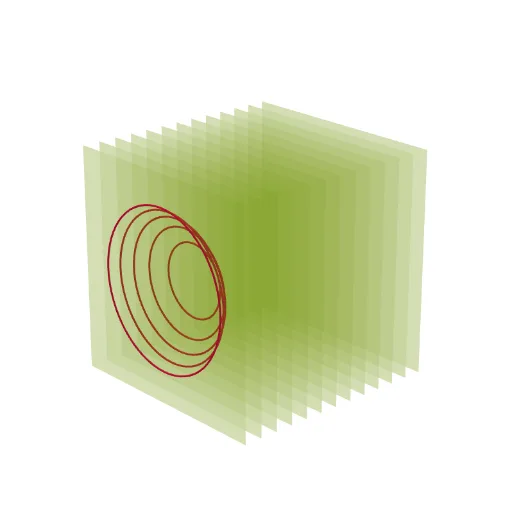
这个范例演示了球体的截面。涉及的核心数学概念包括立体几何和解析几何。通过使用GeoGebra命令如Sphere和IntersectPath,可以构造出球体及其不同截面。适合高中数学教学和学习。
GeoGebra 命令及参数
Sphere((0, n, 0), 5) → aIntersectPath(y = -4, a) → cIntersectPath(y = -3.5, a) → dIntersectPath(y = -3, a) → eIntersectPath(y = -2, a) → fIntersectPath(y = -1, a) → gIntersectPath(y = 0, a) → hIntersectPath(y = 1, a) → kIntersectPath(y = 2, a) → pIntersectPath(y = 3, a) → qIntersectPath(y = 4, a) → rIntersectPath(y = -2.5, a) → sIntersectPath(y = -1.5, a) → tIntersectPath(y = -0.5, a) → c_1IntersectPath(y = 0.5, a) → d_1IntersectPath(y = 1.5, a) → e_1IntersectPath(y = 2.5, a) → f_1IntersectPath(y = 3.5, a) → g_1IntersectPath(y = 4.5, a) → h_1IntersectPath(y = -4.5, a) → k_1Sequence(Polygon[(-6, w, -6), (6, w, -6), (6, w, 6), (-6, w, 6)], w, -6, 6) → l1IntersectPath(y = -5.5, a) → p_1IntersectPath(y = -6, a) → q_1IntersectPath(y = -5, a) → r_1IntersectPath(y = 5.5, a) → s_1IntersectPath(y = 5, a) → t_1IntersectPath(y = 6, a) → c_2
AI 绘图提示语参考
画一个球体,并展示其与多个水平平面的交线,这些平面从球体的底部到顶部依次升高,形成一系列圆形截面。在球体的左侧和右侧添加两个垂直于水平面的正方形,正方形的底边与球体的底部和顶部相接。
以上提示语为根据原始绘图命令整理而来,仅供参考。