
余数定理与因式定理测验
几何画板及绘图内容加载中,请稍等……
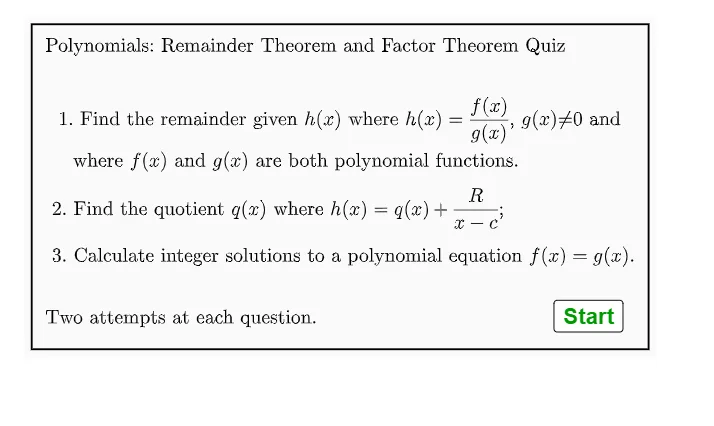
①本范例演示了余数定理与因式定理在多项式函数中的应用;②涉及的核心数学概念包括多项式除法、余数定理、因式定理;③作图要点——从下方『构造摘要』提炼用到了Random, RandomElement, Shuffle, Element, Simplify, Remove, Expand, Division, If, Textfield, AreEqual, Corner等GeoGebra命令/对象;④适合高中数学教学,用于辅助学生理解多项式定理的应用。
GeoGebra 命令及参数
Random(1, 4) → q3listranRandom(1, 5) → r2Random(1, 5) → r3Random(-5, -1) → r4Random(-5, -1) → r5RandomElement({-8, -10, 0, 0, 0, 8, 9, 10}) → r6Random(1, 5) → r1Shuffle(rlist) → rshlist, {-4, 4, -5, 8, 4, 4}Element(rshlist, 3) → rr3Element(rshlist, 1) → rr1Element(rshlist, 2) → rr2RandomElement(halist) → haRandomElement(gblist) → gbRandomElement(galist) → gaSimplify((ga * x) + gb) → q3rhslinearElement(q3list, q3listran) → q3baseSimplify((ha * x^(2)) + q3rhslinear(x)) → q3rhsquadRemove({-5, -4, -3, -2, -1, 1, 2, 3, 4, 5}, {rr1, rr2, (-rr2)}) → clistRandomElement(clist) → cCRandomElement(listf) → fExpand(f) → fexpElement(rshlist, 4) → rr4Element(rshlist, 5) → rr5Simplify(f) → ffSimplify(q3base(x) + q3rhsquad(x)) → q3lhsquadDivision(fexp, g1) → q1Element(q1, 1) → q2ansSimplify(q3base(x) + q3rhslinear(x)) → q3lhslinearRandom(1, 2) → q3ranIf(q3ran ≟ 1, q3lhslinear, q3lhsquad) → q3lhsIf(q3ran ≟ 1, q3rhslinear, q3rhsquad) → q3rhsIf(q3listran ≟ 1, rr1 + rr2 + rr3, If[q3listran ≟ 2, rr1 + rr2, rr1]) → q3sumansIf(q3listran ≟ 1, 3, If[q3listran ≟ 2, 2, If[q3listran ≟ 3, 3, 1]]) → q3nansTextfield(q1studans) → InputBox1Textfield(q2studans) → InputBox2Textfield(q3nstud) → InputBox3Textfield(q3sumstud) → InputBox4AreEqual(InputBox1, q1ans) → corrq1AreEqual(InputBox3, q3nans) → corrq3aAreEqual(InputBox4, q3sumans) → corrq3bCorner(5) → dims
AI 绘图提示语参考
绘制一个用于多项式余数定理与因式定理练习的交互式数学测验界面。界面包含四个输入框,分别用于填写商、余数、次数和根之和。题目随机生成,涉及线性或二次多项式,并显示一个多项式除法算式。图形区域展示一个多项式函数图像,其系数由随机数决定,并标注关键点。整体布局为上方题目区,下方四个输入框和对应的对错反馈标记,背景为浅色网格。
以上提示语为根据原始绘图命令整理而来,仅供参考。