
金字塔截面探究
几何画板及绘图内容加载中,请稍等……
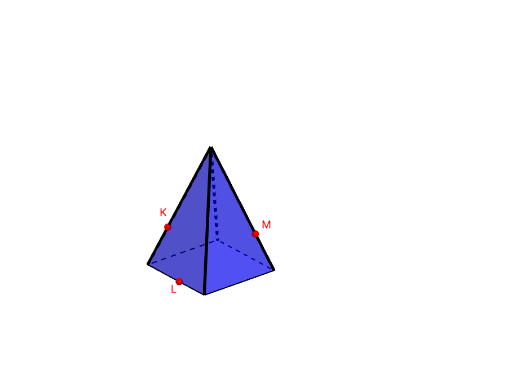
①本范例演示通过不同底边金字塔的平面截面形成的几何图形变化;②涉及核心数学概念包括立体几何、截面几何、几何均值、线性回归;③作图要点运用了Point, Polygon, Circle, Center, Pyramid, If, IntersectPath等GeoGebra命令与对象;④适合高中及以上学生及数学爱好者用于探索立体几何与截面几何问题。
GeoGebra 命令及参数
Point(yAxis) → APoint(xAxis) → BPolygon(A, B, Base) → poly1, a, D, G, H, I, J, e, f, g, j, k, l, m, CCircle(A, B, C) → hCenter(h) → EPyramid(poly1, F) → i, faceABF, edgeBF, edgeCF, edgeDF, edge1, edge2, edge3, edge4, faceBCF, faceCDF, faceADF, face1, face2, face3, face4, edgeAFPoint(If[Base ≟ 3, list6, If[Base ≟ 4, list5, If[Base ≟ 5, list4, If[Base ≟ 6, list3, If[Base ≟ 7, list2, list1]]]]]) → KPoint(If[Base ≟ 3, list6, If[Base ≟ 4, list5, If[Base ≟ 5, list4, If[Base ≟ 6, list3, If[Base ≟ 7, list2, list1]]]]]) → MPoint(If[Base ≟ 3, list6, If[Base ≟ 4, list5, If[Base ≟ 5, list4, If[Base ≟ 6, list3, If[Base ≟ 7, list2, list1]]]]]) → LIf(w ≟ 0, Plane[M, L, K], If[w ≟ 1, Plane[A_1, Z, W], Plane[B_1, D_1, C_1]]) → oIntersectPath(o, i) → poly2, N, p, q, r, s, t, a_1, b_1, c_1, d_1, O, P, Q, R, S, T, U, V
AI 绘图提示语参考
画一个金字塔,底面可以是三角形、四边形、五边形、六边形或七边形,通过不同位置的截面展示其几何形状变化,截面与金字塔的交集用不同颜色线条表示,整体图形需体现立体几何和截面几何的关联性。
以上提示语为根据原始绘图命令整理而来,仅供参考。