
用几何模型探究完全平方数与平方根
几何画板及绘图内容加载中,请稍等……
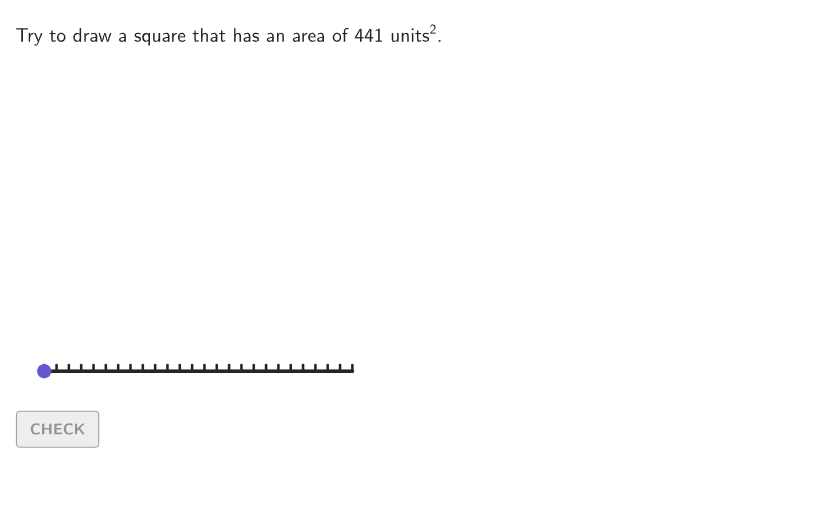
本范例通过构建正方形面积模型,直观演示完全平方数与平方根之间的对应关系。核心数学概念是平方运算与平方根互为逆运算,以及完全平方数(如1、4、9、16……直至625)的几何意义。作图要点包括:使用GeoGebra的Shuffle、Sequence、Point、Polygon、Segment等命令生成随机边长和面积,通过动态文本和按钮(如btnValidate、btnNew)实现交互验证,并利用If、Element、Zip等命令处理学生输入与反馈。该资源适合6-8年级学生,用于在几何情境中理解平方根的含义,培养数形结合思维,也可作为课堂探究或自主练习材料。
GeoGebra 命令及参数
Shuffle(Sequence[2, 25]) → possibleBases, {21, 14, 19, 24, 7, 23, 13, 2, 25, 18, 10, 9, 12, 5, 4, 15, 3, 22, 20, 17, 16, 6, 11, 8}Shuffle(Sequence[15]) → randomList2, {14, 8, 1, 9, 2, 10, 5, 11, 13, 15, 4, 3, 12, 6, 7}Shuffle(Sequence[20]) → randomList1, {4, 9, 7, 1, 12, 14, 6, 18, 13, 11, 20, 15, 19, 2, 5, 17, 16, 8, 10, 3}Sequence(Anchor1 + (A, 0), A, 0, 25) → allPointsPoint(allPoints) → PMoveElement(possibleBases, Mod[countQuestion, Length[possibleBases]] + 1) → expectedBaseElement(randomList2, Mod[countQuestion, 15] + 1) → randomNum2Element(randomList1, Mod[countQuestion, 20] + 1) → randomNum1Polygon(Zip[PixelsToPoint[Corner[1], Corner[3], Corner[5], A], A, {(pixelsLeft, pixelsTop), (pixelsLeft, y(Corner[5]) - pixelsBottom), Corner[5] - (pixelsRight, pixelsBottom), (x(Corner[5]) - pixelsRight, pixelsTop)}]) → borderBoxCorner(5) → layoutAppSizeSegment((0, 0), (25, 0)) → numberLinePolygon({Anchor1, PMove, (x(PMove), x(PMove)), (x(Anchor1), x(PMove))}) → studentSquare_{1}Flatten(Sequence[Sequence[(i, j), i, 0, studentBase - 1], j, 0, studentBase - 1]) → allBoxPointsTake(allBoxPoints, 1, animate) → showBoxPointsZip(boxTool[1, 1, A], A, showBoxPoints) → showBoxesboxTool(studentBase, studentBase, Anchor1) → viewboxboxTool(studentBase, studentBase, Anchor1) → coverGridSequence(Segment[Anchor1 + (A, 0), Anchor1 + (A, 0.5)], A, 0, 25) → ticksText(("" * studentBase), Anchor1 + (studentBase / 2, 0), false, true, 0, -1) → lblBottomIf(expectedBase > 10, 1, Element[{2, 3, 4, 5, 6, 7, 8, 9, 10}, 10 - expectedBase]) → speedText(("" * studentBase), Anchor1 + (0, studentBase / 2), false, true, -1, 0) → lblSide
AI 绘图提示语参考
绘制一个25单位边长的正方形,显示其内部的1x1小正方形,并在x轴上标出从0到25的刻度线。随机选择一个1到25之间的整数作为正方形的边长,然后根据这个边长在正方形内部绘制相应数量的小正方形。
以上提示语为根据原始绘图命令整理而来,仅供参考。