
百分比增加与减少基准值计算练习
几何画板及绘图内容加载中,请稍等……
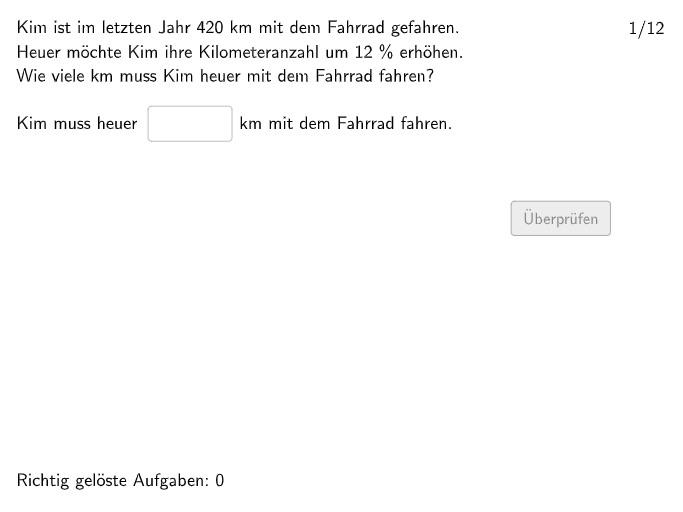
本范例是一个交互式的百分比计算练习程序,通过随机生成题目帮助学生掌握基准值的增加(Vermehrte Grundwerte)和减少(Verminderte Grundwerte)计算。核心数学概念包括:理解变化因子(Änderungsfaktor)的概念,掌握单步及多步百分比问题的求解方法。程序使用Shuffle和Element命令随机抽取题目,通过Textfield创建输入框接收学生答案,利用If和Defined命令进行答案验证,并配置btnValidate按钮、btnTryAgain重试按钮和btnNew新题按钮实现完整的练习反馈流程。适合7-8年级学生复习和巩固百分比计算知识,也可用于课堂即时测评。
GeoGebra 命令及参数
Join({Join[{firstEx, Shuffle[Sequence[1, 12] \ firstEx]}], Join[Sequence[Shuffle[Sequence[1, maxexnum]], m, 1, floor(110 / maxexnum)]]}) → listExNumsTextfield(input1) → InputBox1Polygon(PtopLeftCornerFeedback, PtopRightCornerFeedback, PbottomRightCornerFeedback, PbottomLeftCornerFeedback) → rectangleCorrect, rectangleCorrectS3, rectangleCorrectS4, rectangleCorrectS2, rectangleCorrectS1Shuffle(Sequence[Random[0, 10], i, 1, 100]) → randomNosForX, {8, 6, 9, 6, 4, 0, 2, 3, 6, 8, 7, 8, 3, 0, 4, 7, 7, 3, 1, 10, 1, 4, 1, 8, 2, 10, 9, 0, 0, 3, 3, 6, 3, 10, 3, 0, 4, 6, 0, 9, 7, 6, 2, 6, 3, 2, 5, 7, 6, 9, 2, 10, 4, 7, 0, 0, 3, 3, 1, 6, 1, 2, 3, 6, 7, 7, 10, 1, 1, 8, 6, 2, 9, 0, 4, 9, 9, 3, 0, 10, 10, 6, 9, 8, 0, 8, 9, 7, 0, 10, 6, 6, 4, 9, 8, 2, 0, 7, 9, 9}Element(randomNosForX, Mod[questionCount, 100] + 1) → numXShuffle(Sequence[Random[0, 10], i, 1, 100]) → randomNosForY, {8, 4, 2, 3, 0, 1, 1, 5, 3, 0, 8, 7, 4, 4, 1, 4, 7, 3, 7, 7, 10, 8, 6, 10, 10, 6, 2, 7, 7, 7, 9, 10, 8, 7, 7, 6, 6, 3, 10, 6, 1, 2, 10, 1, 8, 0, 3, 8, 7, 8, 0, 8, 10, 0, 7, 8, 10, 5, 8, 9, 3, 6, 6, 6, 1, 9, 3, 5, 7, 2, 7, 3, 8, 8, 7, 3, 5, 2, 6, 7, 6, 6, 7, 4, 0, 8, 6, 4, 9, 8, 9, 4, 3, 0, 0, 1, 9, 9, 8, 8}Element(randomNosForY, Mod[questionCount, 100] + 1) → numYAppend(true, Sequence[If[randomNosForX(i) ≟ randomNosForX(i - 1), false, true], i, 2, 100]) → stayXAppend(true, Sequence[If[randomNosForY(i) ≟ randomNosForY(i - 1), false, true], i, 2, 100]) → stayYRemove(Sequence[If[stayX(i), randomNosForX(i), 0], i, 1, 100], Sequence[0, i, 1, 100]) → randomNosForXwithoutRepeatRemove(Sequence[If[stayY(i), randomNosForY(i), 0], i, 1, 100], Sequence[0, i, 1, 100]) → randomNosForYwithoutRepeatElement(randomNosForXwithoutRepeat, Mod[questionCount, Length[randomNosForXwithoutRepeat]] + 1) → numXwithoutRepeatElement(randomNosForYwithoutRepeat, Mod[questionCount, Length[randomNosForYwithoutRepeat]] + 1) → numYwithoutRepeatDefined(input1) → fixedNumberSeparationComma(numA) → Text39Textfield(input3) → InputBox3Textfield(input4) → InputBox4Textfield(input5) → InputBox5Textfield(input2) → InputBox2Semicircle(B1 + (0, circleheight), B1) → cSemicircle(B1 + (0, (2 * circleheight) - 0.2), B1 + (0, circleheight - 0.2)) → dSemicircle(B1 + (circlewidth, 0), B1 + (circlewidth, circleheight)) → eSemicircle(B1 + (circlewidth, circleheight - 0.2), B1 + (circlewidth, (2 * circleheight) - 0.2)) → fTextfield(input6) → InputBox6Textfield(input7) → InputBox7If(opt2, input3 ≟ solopt2, input3 ≟ solopt1) → correct3Point(Line[P0, xAxis]) → P1Point(Line[P0, xAxis]) → P2Point(Line[P0, xAxis]) → P3Point(Line[P0, xAxis]) → P4Point(Line[P0, xAxis]) → P5Point(Line[P0, xAxis]) → P6Point(Line[P0, xAxis]) → P7Point(Line[P0, xAxis]) → P8Point(Line[P0, xAxis]) → P9Point(Line[P0, xAxis]) → P10Point(Line[P0, xAxis]) → P11Point(Line[P0, xAxis]) → P12Element({P1, P2, P3, P4, P5, P6, P7, P8, P9, P10, P11, P12}, exnum) → PPoint(Line[E0, xAxis]) → E1Point(Line[E0, xAxis]) → E2Point(Line[E0, xAxis]) → E3Point(Line[E0, xAxis]) → E4Point(Line[E0, xAxis]) → E5Point(Line[E0, xAxis]) → E6Point(Line[E0, xAxis]) → E7Point(Line[E0, xAxis]) → E8Point(Line[E0, xAxis]) → E9Point(Line[E0, xAxis]) → E10Point(Line[E0, xAxis]) → E11Point(Line[E0, xAxis]) → E12Element({E1, E2, E3, E4, E5, E6, E7, E8, E9, E10, E11, E12}, exnum) → E
AI 绘图提示语参考
绘制一个练习用的矩形区域作为画布背景,矩形由四个角点围成,并在其内部预留一处水平线穿过的基准位置。再在同一基准点附近做一套“半圆轮廓”装饰:以一个左侧起点为圆心的上半圆,同时在下方再放一个偏移的上半圆组合,整体形成类似左右对称的弧形框架;再在矩形右侧对应位置放置两段竖向半圆弧,使弧形上下与半径略有缩短。最后在矩形上方与弧形附近加入多处可输入的文本框区域,并在弧形框架边界上标出可供生成的多个落在水平线上的点,用于后续连线或标注。
以上提示语为根据原始绘图命令整理而来,仅供参考。