
多项式乘法演示
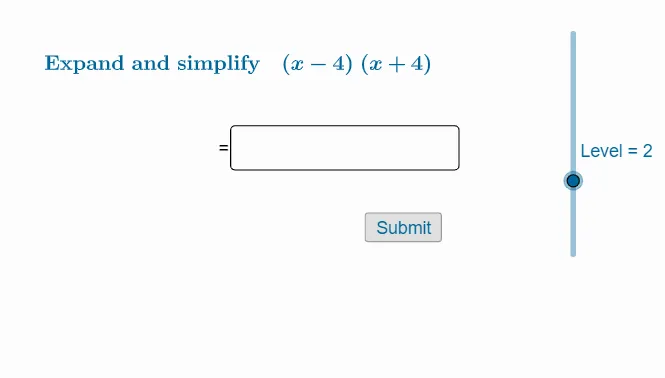
几何画板及绘图内容加载中,请稍等……
①本范例演示了如何使用 GeoGebra 动态展示多项式乘法的过程与结果;②涉及的核心数学概念包括多项式运算、代数化简、几何表示;③作图要点——使用了 RandomElement, Simplify, Expand, Factor, Textfield, If, Text, Defined, Length 等命令与对象,实现随机生成多项式、化简、展开、因式分解及动态文本显示;④适合高中数学学生及教师用于教学演示和概念理解。
GeoGebra 命令及参数
RandomElement({-6, -5, -4, -3, -2, -1, 1, 2, 3, 4, 5, 6, 7, 8, 9, 10}) → bRandomElement({1, 1, 1, 1, 1, 1, 1, 2, 3, 4, 5, 6, 7, 10}) → b1Simplify((bcx * x) + b) → g2RandomElement({1, 1, 1, 2, 2, 2, 2, 2, 3, 3, 3, 5, 7, 9}) → a1RandomElement({-3, -2, -1, 2, 2, 2, 3, 3, 5, 5}) → a0Random(-6, 10) → aSimplify((acx * x) + a) → g1Expand(g3) → g4Expand(h1) → h2Simplify(x - a) → p1Simplify(x - (-a)) → p2Expand(p3) → p4Factor(x^(2) - ((a + b) * x) + (a * b)) → rTextfield(stf) → InputBox1Simplify(x - a) → f1If(a ≟ b, f3, r) → f4Text(stf) → stftextDefined(IndexOf[")", stftext]) → eIf(Level ≟ 1, f, If[Level ≟ 2, p4, If[Level ≟ 3, g4, h2]]) → answertextIf(Level ≟ 1, r, If[Level ≟ 2, p3, If[Level ≟ 3, g3, h1]]) → qLength(Text[g4]) → ganslengthLength(Text[f]) → fanslengthLength(Text[h2]) → hanslengthLength(Text[f4]) → fnanslengthLength(Text[g3]) → gnanslengthLength(Text[h1]) → hnanslengthLength(stftext) → stflengthLength(Text[p4]) → panslength
AI 绘图提示语参考
展示多项式乘法演示,包含随机生成的二项式,通过动态文本显示其乘积和因式分解结果,几何上体现代数简化过程,适合教学演示。
以上提示语为根据原始绘图命令整理而来,仅供参考。