
矩形的中位线
几何画板及绘图内容加载中,请稍等……
所属专题
geometriadinamica.es
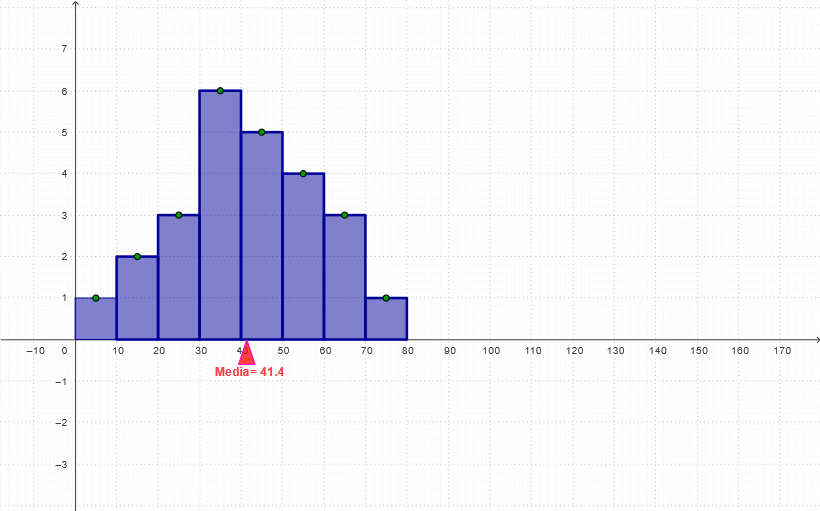
该范例演示了矩形的中位线性质。核心数学概念包括:中位线、矩形的性质。作图要点:使用GeoGebra命令Sequence、Ray、Point、Mirror、OrthogonalLine、Intersect、Polygon等构造矩形及其中位线。适合初中几何教学。
GeoGebra 命令及参数
Sequence(((10 * i) - 5, 1), i, 1, n) → L2Sequence(((10 * i) - 5, 0), i, 1, n) → L1Ray(Element[L1, 12], Element[L2, 12]) → lPoint(l) → LRay(Element[L1, 11], Element[L2, 11]) → kPoint(k) → KRay(Element[L1, 10], Element[L2, 10]) → jPoint(j) → JRay(Element[L1, 9], Element[L2, 9]) → iPoint(i) → IRay(Element[L1, 8], Element[L2, 8]) → hPoint(h) → P8Ray(Element[L1, 7], Element[L2, 7]) → gPoint(g) → P7Ray(Element[L1, 6], Element[L2, 6]) → fPoint(f) → P6Ray(Element[L1, 5], Element[L2, 5]) → ePoint(e) → P5Ray(Element[L1, 4], Element[L2, 4]) → dPoint(d) → P4Ray(Element[L1, 3], Element[L2, 3]) → cPoint(c) → P3Ray(Element[L1, 2], Element[L2, 2]) → bPoint(b) → P2Ray(Element[L1, 1], Element[L2, 1]) → aPoint(a) → P1Mirror(M, P1) → NOrthogonalLine(N, xAxis) → pOrthogonalLine(M, xAxis) → qIntersect(p, xAxis) → OIntersect(q, xAxis) → PPolygon(M, N, O, P) → poly1, r, s, t, a1rectángulo(I, m) → poly9, k2, l2, m2, n2Polygon(Q, S, R) → poly13, m_1, h3, i3Herramienta2(P2, m) → poly2, b1, c1, d1, e1Herramienta2(P3, m) → poly3, f1, g1, h1, i1Herramienta2(P4, m) → poly4, j1, k1, l1, m1Herramienta2(P5, m) → poly5, n1, p1, q1, r1Herramienta2(P6, m) → poly6, s1, t1, a2, b2Herramienta2(P7, m) → poly7, c2, d2, e2, f2Herramienta2(P8, m) → poly8, g2, h2, i2, j2Polygon(D, C, B, A) → poly10, d_1, c_1, b_1, a_1Vector(E, F) → uVector(F, E) → v
AI 绘图提示语参考
请绘制一个矩形的中线示意图。首先,画出矩形的四个顶点,然后构造一条垂直于矩形的对角线。接着,找到矩形的中心点,并画出从中心点到矩形的两条对称线段。最后,展示这些线段与矩形的交点关系,以体现中线性质。
以上提示语为根据原始绘图命令整理而来,仅供参考。