
梅赛德斯标志的数学构造
几何画板及绘图内容加载中,请稍等……
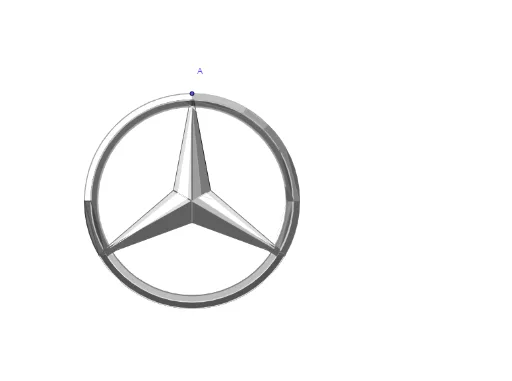
①本范例演示了如何使用二维向量和几何变换构造梅赛德斯汽车标志;②涉及的核心数学概念包括向量、圆、椭圆、多边形、旋转、镜像、中点、角平分线等;③作图要点:使用了Circle(圆)、Vector(向量)、Line(线)、Rotate(旋转)、LineBisector(角平分线)、Polygon(多边形)、Mirror(镜像)、Segment(线段)、Midpoint(中点)、AngularBisector(角平分线)、Intersect(交点)、CircleArc(圆弧)、CircleSector(圆扇形)等GeoGebra命令;④适合高中数学教学,用于展示几何变换和图形构造的实践应用。
GeoGebra 命令及参数
Circle(O, A) → cVector(O, A) → uCircle(O, B) → dLine(A, O) → fRotate(B, 120°, O) → B'Rotate(B, (-(120°)), O) → B'_1Rotate(B, 1°, O) → B'_2Rotate(B, -1°, O) → B'_3Rotate(B', 1°, O) → B''Rotate(B', -1°, O) → B''_1Rotate(B'_1, 1°, O) → CRotate(B'_1, -1°, O) → DLineBisector(B, B') → gLineBisector(B, B'_1) → hRotate(E, 120°, O) → E'Rotate(E, (-(120°)), O) → E'_1Polygon(E'_1, O, B, B'_2) → c1, e'_1, o, b, b'_2Mirror(E'_1, g) → FMirror(O, g) → O'Mirror(B, g) → B'_4Mirror(B'_2, g) → GPolygon(F, O', B'_4, G) → c1', f_1, o', b'_4, g_1Mirror(F, f) → F'Mirror(O', f) → O''Mirror(B'_4, f) → HMirror(G, f) → G'Polygon(F', O'', H, G') → c1'', f', o'', h_1, g'Polygon(B'_3, B, O, E') → c2, b'_3, b_1, o_1, e'Mirror(B'', f) → B'''Mirror(B', f) → B''_2Mirror(O, f) → O'_1Mirror(E, f) → E'_2Segment(O, E) → iSegment(O, F') → jSegment(O, F) → kCircle(O, I) → pMidpoint(F, O) → JMidpoint(F, J) → KMidpoint(J, O) → LPolygon(I, K, L) → t1, l, i_1, k_1Mirror(I, g) → I'Mirror(K, g) → K'Mirror(L, g) → L'Polygon(I', K', L') → t1', l', i', k'Mirror(I', f) → I''Mirror(K', f) → K''Mirror(L', f) → L''Polygon(I'', K'', L'') → t1'', l'', i'', k''Midpoint(O, F') → MPolygon(I, O, M) → t2, m, i_2, o_3AngularBisector(F', O, B'_1) → nIntersect(d, n) → N, PMirror(O, o_3) → O'_2Mirror(M, o_3) → M'Segment(O'_2, M') → j_1Intersect(p, n) → Q, RCircleArc(O, B, B') → qCircleArc(O, I, I') → rCircleArc(O, I, B') → sRotate(B, 4°, O) → B'_5CircleArc(O, P, B'_5) → tCircleArc(O, R, I) → e_1CircleArc(O, R, I) → p_1CircleArc(O, P, B') → q_1Intersect(c, n) → G_1, G_2Intersect(c, h) → U, VIntersect(c, f) → W, ZAngularBisector(U, O, Z) → l_1Intersect(c, l_1) → A_1, B_1AngularBisector(U, O, B_1) → m_1Intersect(c, m_1) → C_1, D_1Intersect(c, g) → E_1, F_1CircleArc(O, U, B'_1) → c_1CircleArc(O, B', B'_1) → d_1CircleArc(O, I', I'') → r_1CircleArc(O, U, F_1) → s_1CircleArc(O, I', I'') → t_1CircleArc(O, G_1, B') → c_2Polygon(G_1, N, B', U) → c4, n_1, n_2, a_1, u_1CircleArc(O, F_1, G_2) → d_2Polygon(G_2, P, B'_1, F_1) → c5, g_2, p_2, b'_1, f_2CircleArc(O, B'_1, P) → e_2CircleArc(O, I'', R) → k_2CircleArc(O, I'', R) → q_2CircleArc(O, G_2, V) → s_2Intersect(d, t, 1) → TIntersect(d, h) → I_1, J_1Polygon(V, J_1, T, G_2) → c7, v, l_2, t_2, m_2CircleArc(O, V, C_1) → c_3Intersect(d, m_1) → K_1, L_1Polygon(C_1, K_1, J_1, V) → c8, a_2, b_2, f_3, v_1Intersect(d, l_1) → S, H_1Polygon(A_1, S, K_1, C_1) → c9, g_3, s_3, h_3, i_3CircleArc(O, A_1, A) → d_3Polygon(A, A_1, S, B) → c10, a_3, j_3, s_4, b_3Rotate(P, 8°, O) → P'Rotate(R, 8°, O) → R'Rotate(I'', (-(4°)), O'') → I'''Line(O'', B'') → eIntersect(c, e) → M_1, N_1Rotate(N_1, -1°, O) → O_1Polygon(O_1, N_1, E, O) → c3, j_2, k_3, e_3, o_2Rotate(B'', 2°, O) → B'''_1CircleSector(O, B''_1, B'''_1) → q_3Mirror(q_3, f) → t_3Mirror(O_1, f) → P_1Mirror(N_1, f) → Q_1Mirror(E, f) → E'_3Mirror(O, f) → O'_3Polygon(P_1, Q_1, E'_3, O'_3) → c3', l_3, m_3, e'_3, o'_3Polygon(R, G_2, B'_1, I'') → c6, r_2, h_2, n_3, p_3CircleArc(O, I'', R) → c_4Segment(I, R) → r_3Vector(O, F') → wIntersect(c_4, n_3, 1) → S_1Polygon(R_1, O, S_1) → t3, f_4, g_4, o_4Polygon(R, P, R') → t4, r', r_4, p_4CircleArc(O, S_1, R) → d_4Intersect(r', r_4) → T_1CircleArc(O, C, T_1) → e_4