
Logo YÌQI
几何画板及绘图内容加载中,请稍等……
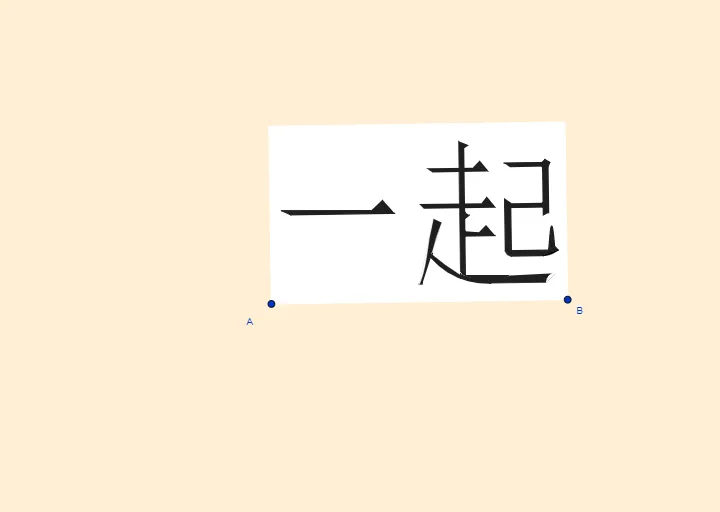
该范例演示了一个名为YÌQI的Logo的几何构造。涉及的核心数学概念包括向量和几何作图。通过使用GeoGebra命令如Line, OrthogonalLine, Vector等,展示了如何构建复杂的几何图形。适合高中数学教学和学习。
GeoGebra 命令及参数
Line(A, B) → sOrthogonalLine(A, s) → bVector(A, B) → uOrthogonalVector(u) → vOrthogonalLine(F, b) → fLineBisector(A_1, A) → lMirror(f, l) → f'_1Intersect(b, l) → GLine(H, l) → hOrthogonalLine(D, s) → iLineBisector(A, B) → nIntersect(n, f'_1) → V_1OrthogonalLine(J_1, f'_1) → g_1Intersect(n, f) → PMirror(i, n) → i'Intersect(i', f) → NLineBisector(F_1, D_1) → pIntersect(p, h) → H_1CircleArc(H_1, F_1, D_1) → dIntersect(d, g_1) → B_4,LineBisector(G_1, E_1) → kIntersect(k, h) → I_1CircleArc(I_1, G_1, E_1) → eIntersect(e, g_1) → M_1,OrthogonalLine(R_1, b) → g_2OrthogonalLine(L_1, f'_1) → h_1Intersect(e, h_1) → O_1,LineBisector(O_1, E_1) → f_2Intersect(i, f) → ZMirror(f, l) → f'Intersect(i, f') → EOrthogonalLine(A_1, b) → rOrthogonalLine(K, l) → jOrthogonalLine(B, u, xOyPlane) → gIntersect(g, r) → CMirror(F, l) → F'Polygon(A_1, C, B, A) → c4, a_1, c_3, b_2, a_2Mirror(E, n) → E'Intersect(i, h) → JIntersect(j, l) → LPolygon(I, L, J, O, M) → poly1, i_1, l_1, j_1, o, mCurveCartesian(((1 - t)^(3) * P) + (((3 * (1 - t)^(2)) * t) * T) + (((3 * (1 - t)) * t^(2)) * U) + (t^(3) * R), t, 0, 1) → aLineBisector(V, W) → qIntersect(q, f) → K_1CircleArc(K_1, W, V) → tPolygon(D_1, V, W, E_1) → q1, d_1, v_1, w, f_1Polygon(F_1, G_1, M_1, B_4) → t1, q_1, r_1, s_1, h_5Polygon(J_1, N_1, P_1, O_1, M_1) → poly2, k_1, n_1, p_1, o_1, m_1Intersect(f_2, g_2) → Q_1Polygon(O_1, D_1, E_1) → t2, t_1, b_1, c_1CircleArc(Q_1, O_1, E_1) → c_2Polygon(S_1, T_1, W_1, U_1, Z_1) → poly3, h_2, i_2, w_1, u_1, z_1OrthogonalLine(A_2, b) → j_2Intersect(n, j_2) → B_2Polygon(E_2, F_2, G_2, H_2, D_2) → poly4, k_2, l_2, m_2, n_2, d_2OrthogonalLine(C_2, b) → p_2Intersect(p_2, h_1) → I_2Polygon(M_2, I_2, J_2, K_2, L_2) → poly5, q_2, r_2, s_2, t_2, f_3Polygon(R, S, Q, P) → q2, r_3, s_3, q_3, p_3LineBisector(S, G_1) → g_3Intersect(s, g_3) → N_2CircleArc(N_2, S, G_1) → d_3OrthogonalLine(O_2, b) → h_3OrthogonalLine(Q_2, j_2) → i_3OrthogonalLine(R_2, j_2) → j_3OrthogonalLine(S_2, h) → k_3OrthogonalLine(T_2, j_2) → l_3OrthogonalLine(U_2, g_1) → m_3Intersect(i_3, j_2) → V_2Intersect(k_3, j_2) → Z_2Polygon(W_2, Z_2, R_2, B_3, A_3, C_3) → poly6, w_2, z_2, n_3, b_3, t_3, e_3Intersect(l_3, h) → E_3Polygon(T_2, R_2, D_3, F_3) → q3, f_4, g_4, h_4, i_4Polygon(G_3, I_3, Q_2, E_3, H_3) → poly7, j_4, k_4, l_4, m_4, n_4Intersect(i_3, m_3) → J_3Intersect(k_3, h_3) → K_3Intersect(h_3, l_3) → L_3Intersect(j_3, m_3) → N_3Intersect(k_3, m_3) → P_3Polygon(Q_2, J_3, K_3, L_3, M_3, O_3, N_3, P_3, S_2) → poly8, p_4, q_4, r_4, s_4, t_4, o_3, a_4, b_4, c_4LineBisector(J_3, K_3) → d_4Intersect(d_4, k_3) → R_3CircleArc(R_3, J_3, K_3) → e_4LineBisector(L_3, M_3) → f_5Intersect(f_5, l_3) → S_3CircleArc(S_3, L_3, M_3) → c_5CurveCartesian(((1 - t)^(4) * Q_3) + (((4 * (1 - t)^(3)) * t) * U_3) + (((6 * (1 - t)^(2)) * t^(2)) * W_3) + (((4 * (1 - t)) * t^(3)) * T_3) + (t^(4) * O_3), t, 0, 1) → cIntersect(h_1, l) → V_3Polygon(V_3, Z_3, A_4) → t3, g_5, v_3, z_3LineBisector(M_1, G_1) → i_5Intersect(i_5, g) → C_4CircleArc(C_4, G_1, M_1, xOyPlane) → d_5
AI 绘图提示语参考
绘制一个名为YÌQI的几何标志,展示向量和几何构造。首先画出一条线段,然后创建其垂线。利用向量构造和垂线,生成多个几何元素,包括线段、圆弧和交点。通过镜像、中点和反射等操作,组合这些元素形成复杂的几何形状。最终图形应包含多个多边形和曲线,体现向量和几何构造的数学概念。
以上提示语为根据原始绘图命令整理而来,仅供参考。