
长度单位换算练习
几何画板及绘图内容加载中,请稍等……
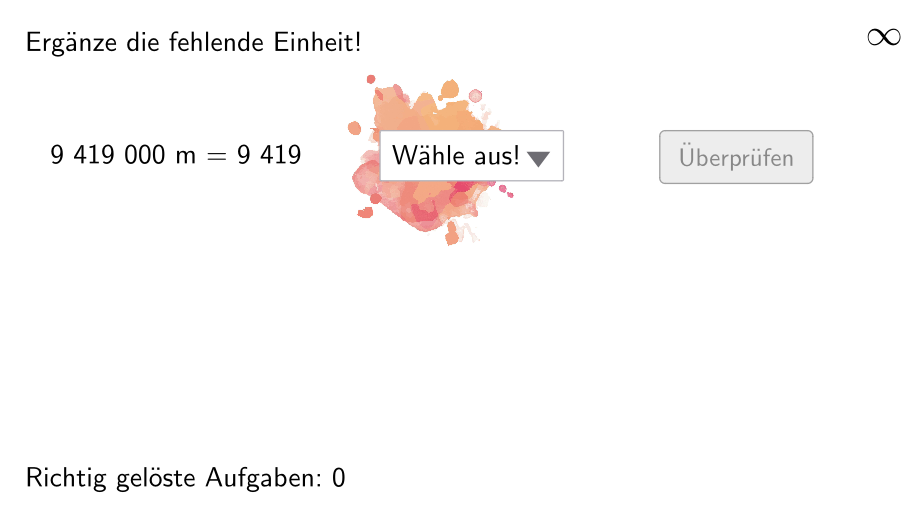
本范例演示了长度单位换算的练习,涉及的核心数学概念是长度单位之间的换算。通过使用GeoGebra命令如Join、Element、If等,可以动态展示单位换算的过程。适合小学五年级到六年级的学生进行学习和练习。
GeoGebra 命令及参数
Join(Sequence[Shuffle[{1, 2, 3, 4, 5, 6}], i, 1, 20]) → ListeBeispielCountElement(ListeBeispielCount, Mod[questionCount, 100]) → BeispielCountJoin(Sequence[Shuffle[{true, false}], i, 1, 50]) → ListeWWGroßAufKleinElement(ListeWWGroßAufKlein, Mod[questionCount, 100]) → großAufKleinIf(allowDecimalNumbers, Element[If[großAufKlein, ListeKommaGroßAufKlein, ListeKommaKleinAufGroß], BeispielCount], Element[If[großAufKlein, ListeGroßAufKlein, ListeKleinAufGroß], BeispielCount]) → BeispielElement(Beispiel, 2) → einheit2Join({{"$\textsf{Wähle aus!\vphantom{Öj}}$"}, {"$\textsf{mm\vphantom{Öj}}$", "$\textsf{\vphantom{Öj}cm}$", "$\textsf{dm\vphantom{Öj}}$", "$\textsf{m\vphantom{Öj}}$", "$\textsf{km\vphantom{Öj}}$"}}) → LLIndexOf(SelectedElement[LL], LL) → EinheitGewähltShuffle(Sequence[Random[111, 9999], i, 1, 100]) → randomNosForX, {142, 9419, 7477, 3020, 9077, 5480, 9957, 3907, 346, 4916, 5051, 5321, 4151, 6127, 2480, 7598, 3164, 7991, 1072, 5681, 6729, 1819, 216, 1819, 7731, 5808, 6375, 7836, 993, 6859, 2914, 5645, 5556, 4642, 2529, 8736, 8654, 8119, 9377, 506, 5669, 5728, 140, 7282, 690, 7938, 4609, 9781, 2527, 6358, 2716, 2224, 9642, 9733, 1810, 6219, 7174, 4744, 4722, 5900, 8984, 322, 7907, 2590, 7553, 1253, 823, 8917, 7656, 3447, 3426, 7723, 7567, 1441, 4689, 5477, 1030, 133, 8217, 592, 3989, 7207, 2078, 2876, 7812, 7721, 7981, 8713, 1457, 6200, 4989, 2512, 1329, 7367, 9579, 2960, 2549, 7795, 4815, 9412}Append(true, Sequence[If[randomNosForX(i) ≟ randomNosForX(i - 1), false, true], i, 2, 100]) → stayXRemove(Sequence[If[stayX(i), randomNosForX(i), 0], i, 1, 100], Sequence[0, i, 1, 100]) → randomNosForXwithoutRepeatElement(randomNosForXwithoutRepeat, Mod[questionCount, Length[randomNosForXwithoutRepeat]] + 1) → numXwithoutRepeatElement(Beispiel, 1) → einheit1If(großAufKlein, Element[Beispiel, 4], 1 / Element[Beispiel, 4]) → faktorCorrectShuffle(Sequence[Random[1, 3], i, 1, 100]) → ListeFaktoren, {3, 3, 1, 3, 3, 3, 2, 1, 1, 1, 1, 1, 1, 2, 3, 1, 3, 3, 3, 1, 3, 1, 2, 2, 1, 2, 3, 2, 3, 1, 2, 2, 1, 2, 1, 2, 1, 2, 3, 1, 1, 3, 3, 2, 3, 1, 3, 2, 2, 1, 2, 3, 2, 3, 1, 3, 2, 2, 3, 2, 2, 2, 1, 1, 3, 3, 1, 3, 2, 2, 2, 1, 2, 1, 3, 3, 1, 2, 1, 2, 3, 1, 1, 2, 2, 2, 3, 2, 2, 2, 3, 2, 2, 1, 3, 1, 1, 1, 1, 2}Element(ListeFaktoren, Mod[questionCount, 100]) → positionFaktor0Element(Element[Beispiel, 3], positionFaktor0) → faktor0NumberSeperation(num) → NumSeperatedNumberSeperation(numCorrect) → TextNumCorrectTextfield(aInput) → InputBox1Textfield(bInput) → InputBox2Polygon(PtopLeftCornerFeedback, PtopRightCornerFeedback, PbottomRightCornerFeedback, PbottomLeftCornerFeedback) → rectangleCorrect, ptopleftcornerfeedback, ptoprightcornerfeedback, pbottomrightcornerfeedback, pbottomleftcornerfeedbackElement(randomNosForX, Mod[questionCount, 100] + 1) → numX
AI 绘图提示语参考
在画面中提供一次“长度单位换算练习”的题面:先给出一个选择框,显示“Wähle aus!”以及一排长度单位 mm、cm、dm、m、km,用户需从中选定目标单位;再随机生成一个要换算的数值,并让该数对应到题目单位“单位1”,同时再设定“单位2”为另一端(用于形成换算方向的大致设定)。最后用一个矩形面板把题目区域组织起来:矩形由四个角点围成,角点分别标在面板四角,并在矩形内呈现题目输入区与相关反馈提示。
以上提示语为根据原始绘图命令整理而来,仅供参考。