
函数变换交互式生成与测试工具
几何画板及绘图内容加载中,请稍等……
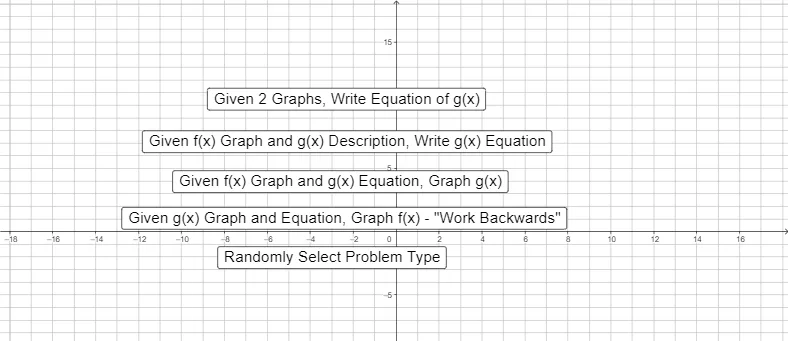
本 GeoGebra 范例通过交互式界面演示并测试函数图像的平移、伸缩与反射等变换规律。核心数学概念包括函数变换中参数对函数图像形状与位置的控制作用,以及函数解析式的代数变换。在作图构造上,该工具结合了 GeoGebra 命令如 `Random`、`RandomElement`、`RandomDiscrete` 和条件判断 `If` 来随机生成练习题目,并利用文本对象、输入框(`InputBox`)以及交互按钮构建了友好的答题界面。核心数学对象包括原始函数 $f$、变换函数 $f_{new}$ 及其关键控制参数。该范例非常适合高中及大学预科阶段函数与解析几何课程的课堂互动、个性化巩固练习或函数变换概念的可视化探究。
GeoGebra 命令及参数
Random(-4, 4) → rRandomElement({-2, -3 / 2, -1, -1 / 2, 1 / 2, 1, 3 / 2, 2}) → mRandomElement({-3, -2, -1, 1, 2, 3}) → nRandom(-5, 5) → pRandomElement({-2, -1, 1, 2}) → qRandomDiscrete({1, 2, 3, 4, 5}, {1, 1, 3, 3, 10}) → whatwegetIf(whatweget ≟ 1, A, whatweget ≟ 2, B, whatweget ≟ 3, C, whatweget ≟ 4, D, whatweget ≟ 5, E) → fRandomElement({-3, -2, -1, -1 / 2, 1 / 2, 1, 2, 3}) → aRandom(-6, 6) → cRandom(-6, 6) → dRandomDiscrete({1, 2, 3, 4}, {67, 67, 33, 33}) → ShowProblemTextfield(a1) → InputBox1Textfield(c1) → InputBox2Textfield(d1) → InputBox3Textfield(m_{1}) → InputBox4Textfield(x_{1}) → InputBox5Textfield(y_{1}) → InputBox6Textfield(a_{L1}) → InputBox7Textfield(b_{L1}) → InputBox8Textfield(m_{2}) → InputBox9Textfield(x_{2}) → InputBox10Textfield(y_{2}) → InputBox11Textfield(a_{L2}) → InputBox12Textfield(b_{L2}) → InputBox13Textfield(m_{3}) → InputBox14Textfield(x_{3}) → InputBox15Textfield(y_{3}) → InputBox16Textfield(a_{L3}) → InputBox17Textfield(b_{L3}) → InputBox18Textfield(w) → InputBox19Textfield(a_{h}) → InputBox20Textfield(b_{h}) → InputBox21Textfield(a_{C}) → InputBox22Textfield(b_{C}) → InputBox23Textfield(y_{C}) → InputBox24Textfield(y_{P}) → InputBox25
AI 绘图提示语参考
画一个函数图像,展示基础函数经过平移、缩放和反射后的变换效果。使用随机生成的参数a, b, c, d来调整变换,并在坐标系中绘制原始函数和变换后的函数。添加交互式控件,允许用户输入参数值并观察对函数图像的影响,同时提供反馈以帮助理解参数变化如何影响函数形态。
以上提示语为根据原始绘图命令整理而来,仅供参考。